5 things to check before downloading a Notion template
Downloading a Notion template can feel like a shortcut to instant organization. But not every template will actually save you time. Here are 5 key signs the template you are about to buy will truly help:
1. Does the template work with your Notion plan?
Not all Notion features are available on every plan. Some templates depend on paid-only features, which means the template may not work as intended if you are on a free plan.
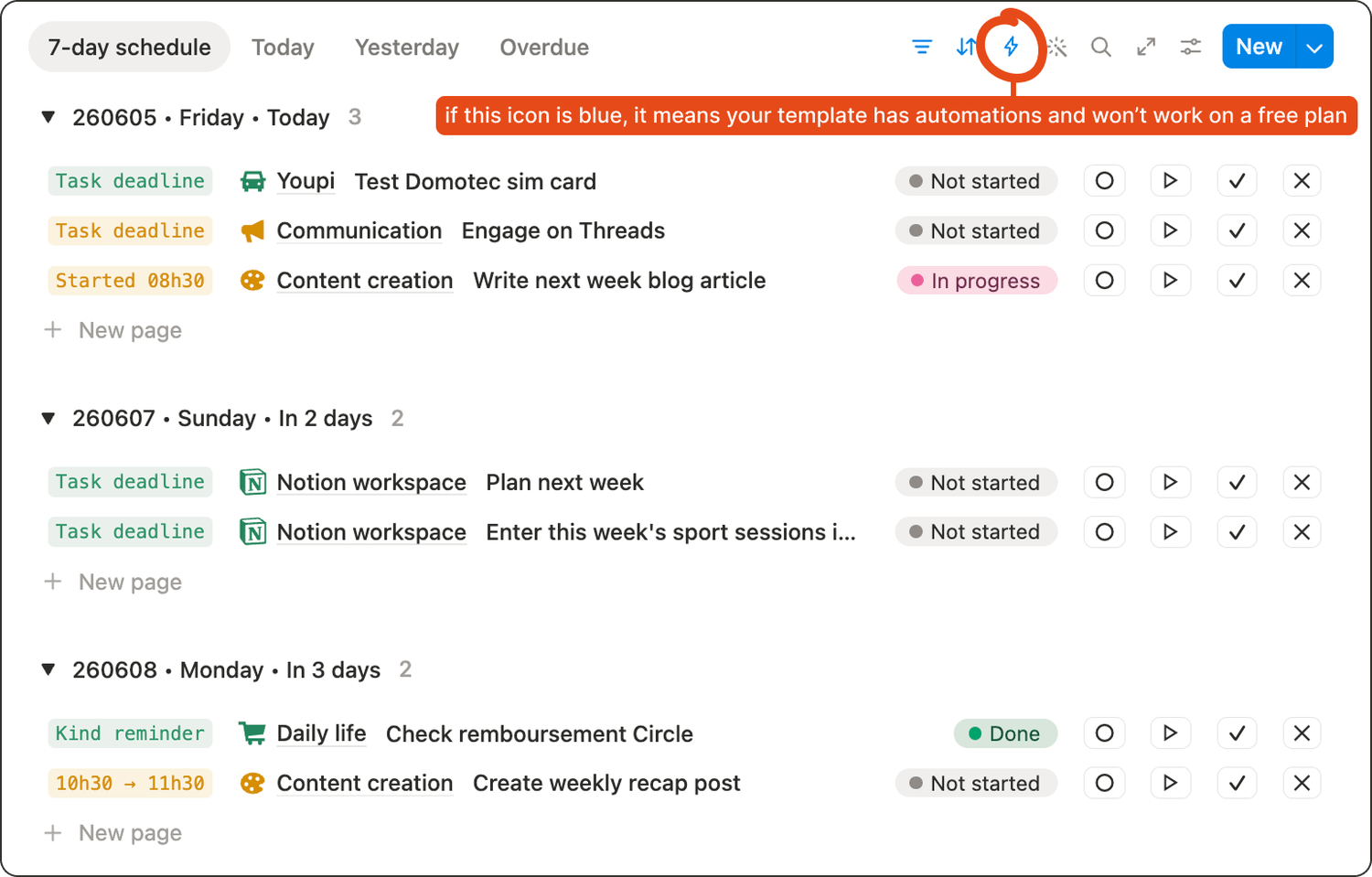
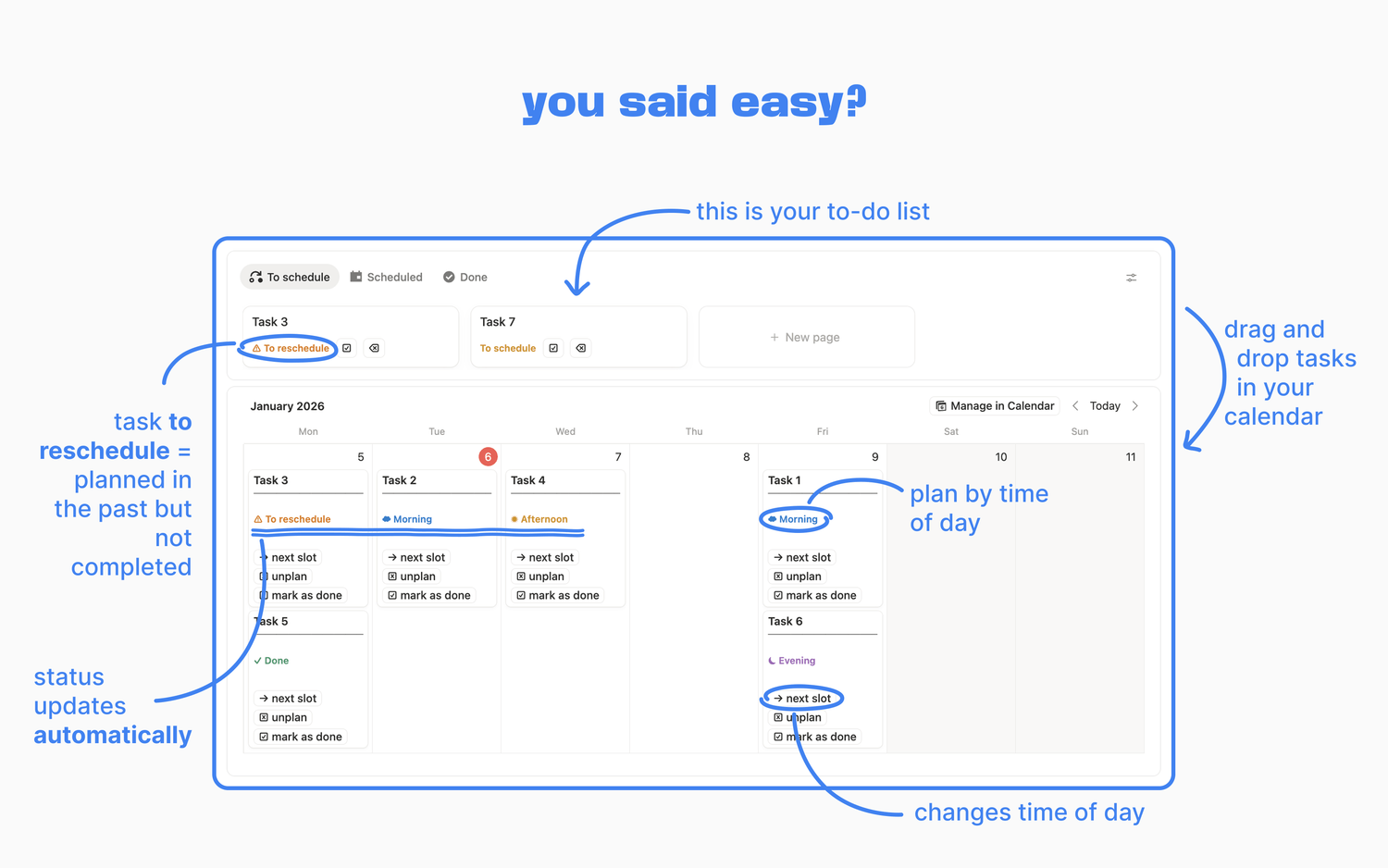
Preview of my personal to-do list
Before downloading, check whether the template uses features like:
👉 Native automations
👉 Charts
👉 Dashboard view
👉 AI features
If the template relies on any of these, you can forget about it if you’re on the free plan.
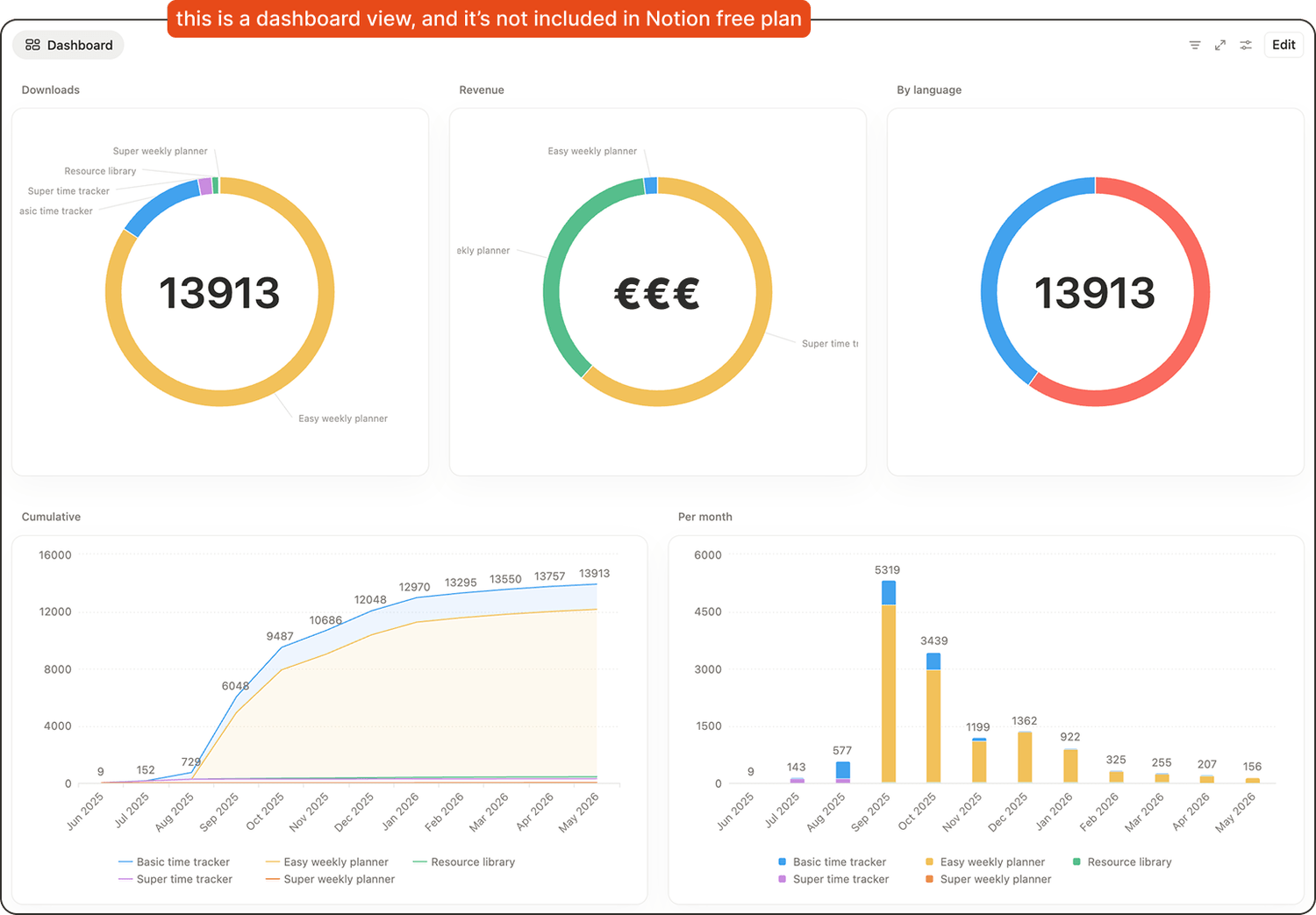
💡 Tip: creators usually mention on the sales page if you need a paid plan to use their template. In general, most free templates are designed to work on the free plan, but it is always worth double-checking. 😉
2. Is it database-based, or is it mostly pages?
This is one of the most important questions to ask.
👉 A Notion page is like a document. It is great for notes and static content, but it does not structure information in a way that is easy to filter, sort, or reuse.
👉 A Notion database is where you store structured information. Databases power most systems that scale: task managers, CRMs, content calendars, habit trackers, and more.
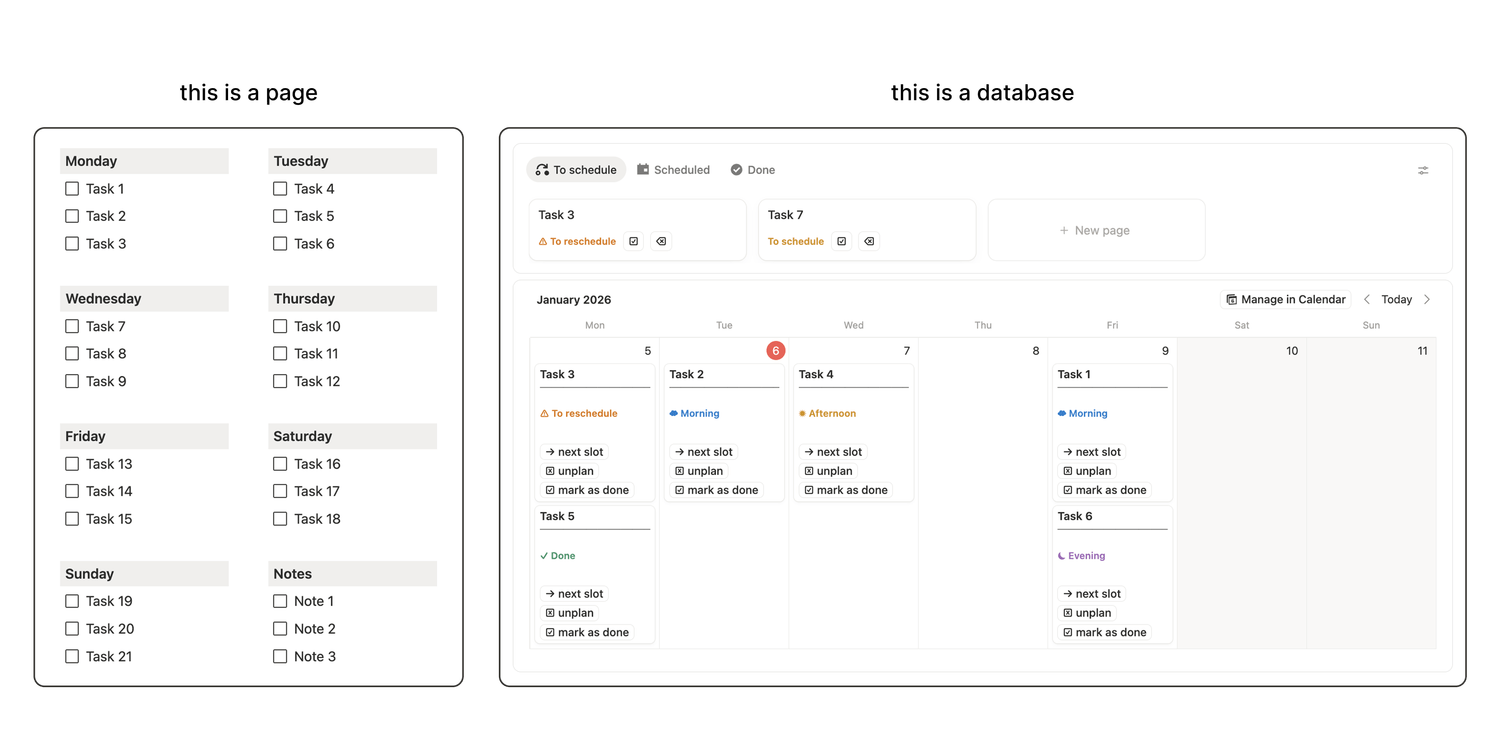
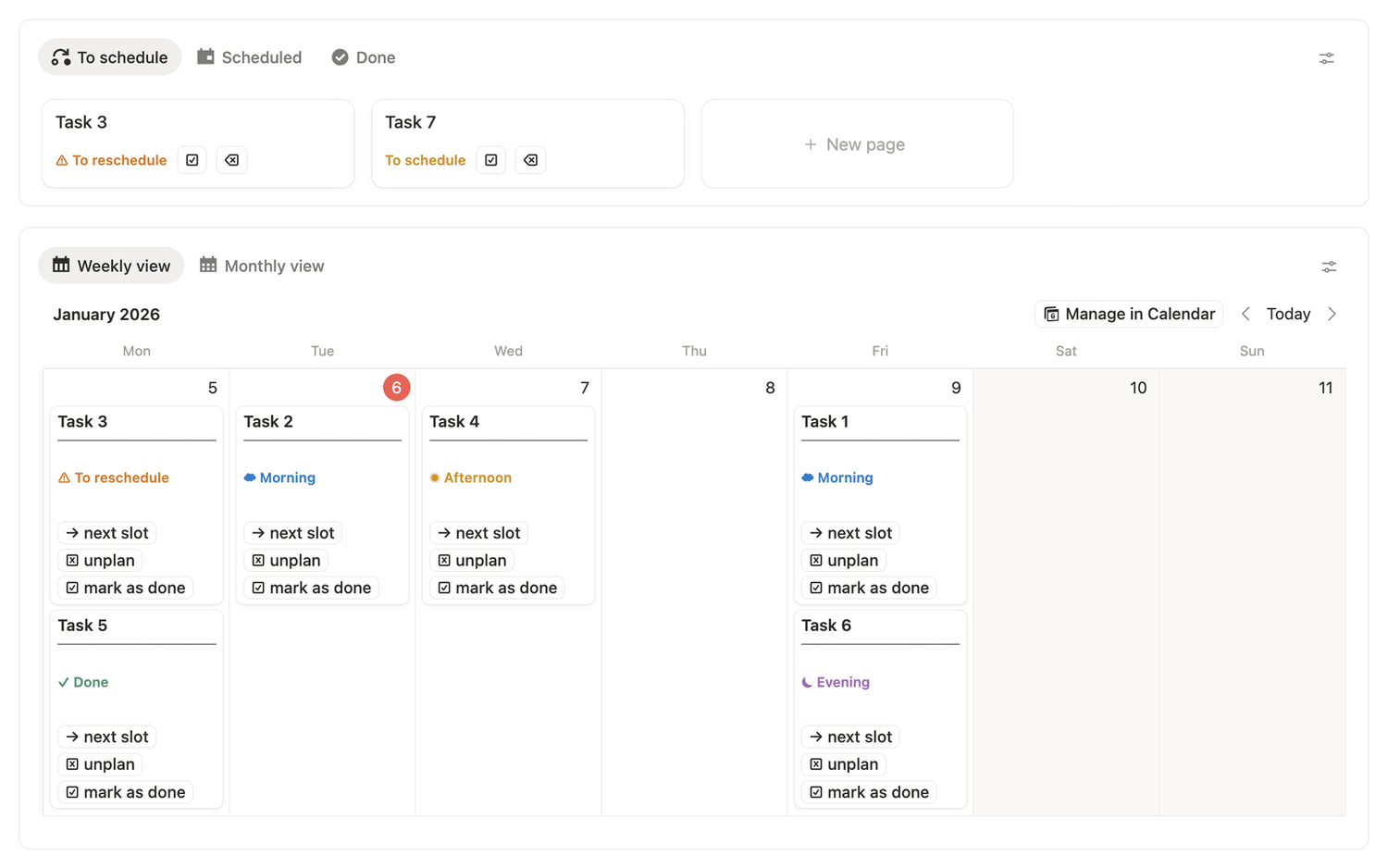
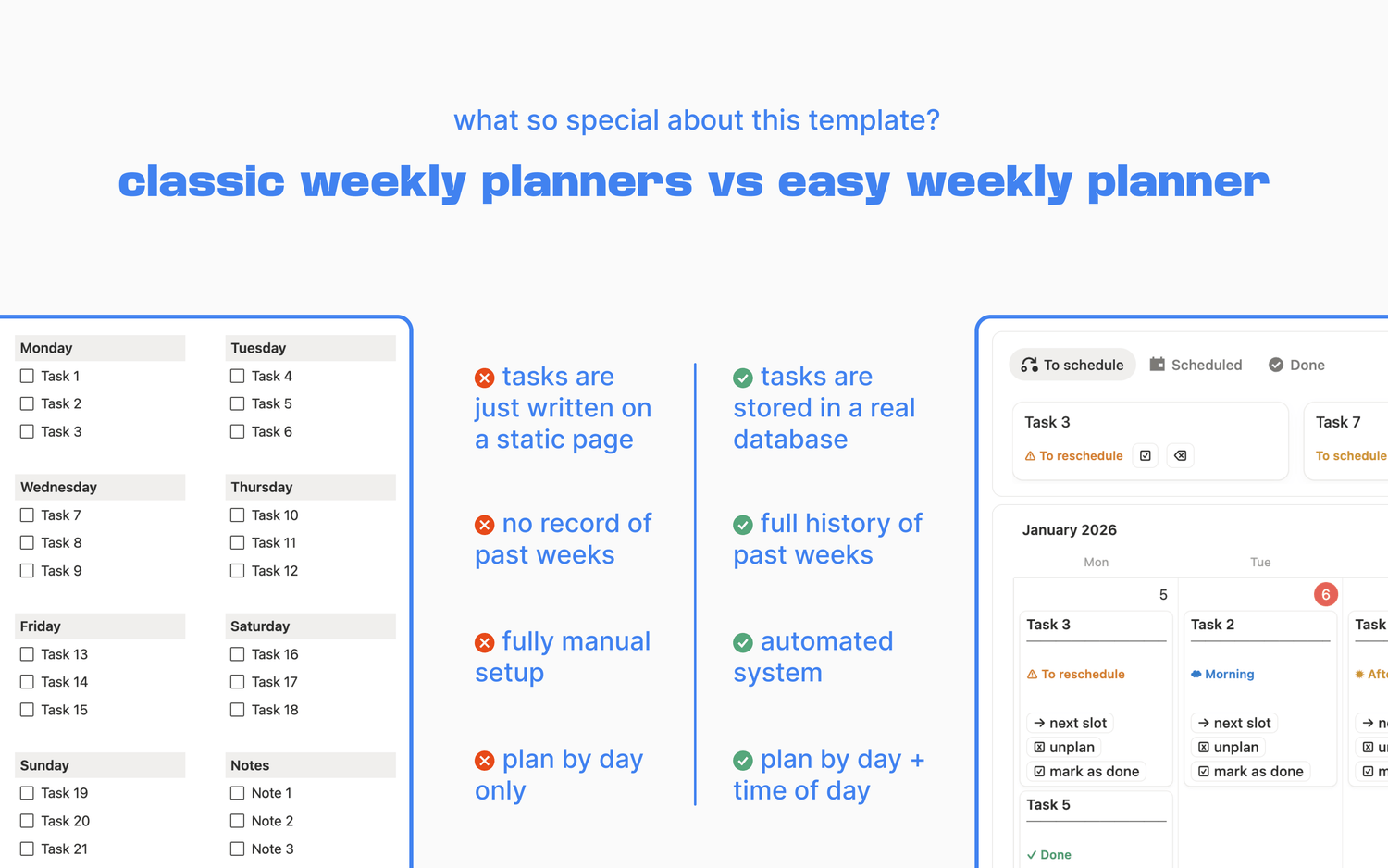
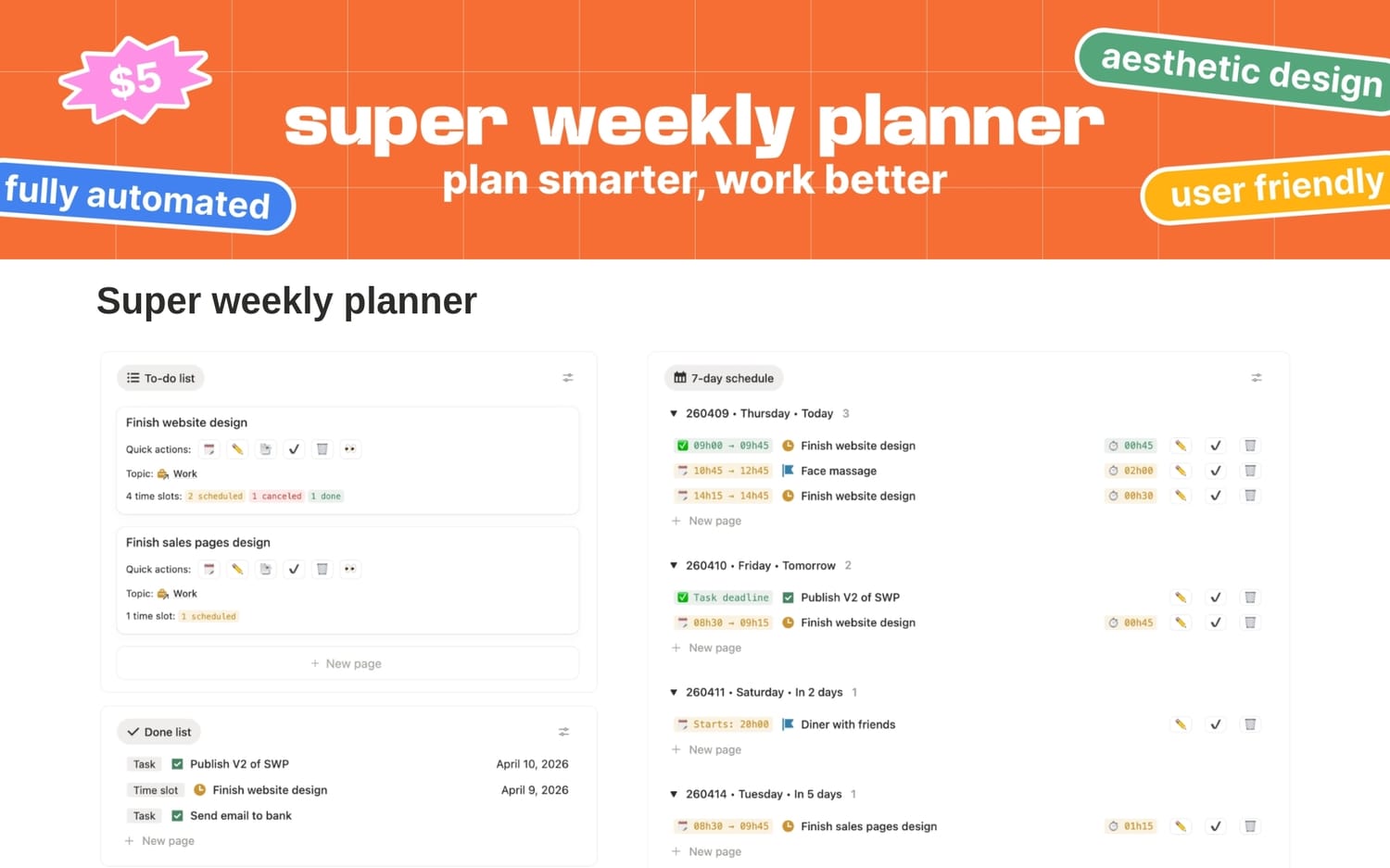
Right is a preview of my free weekly planner template
🧐 Why it matters: if the template is mostly pages, the information can quickly become scattered. If it is database-based, you will usually have a system you can grow with.
Quick ways to recognise a database:
👉 There is usually a “New page” button somewhere (for new database entries).
👉 You can switch between views like table, board, calendar, or gallery.
👉 Properties (columns) are consistent across items.
3. Will it reduce manual work, or will you still do everything yourself?
A template can look polished and still leave you doing the same repetitive steps.
What really saves time is when the template reduces the number of manual actions you have to take, even the small ones. The best templates bundle several steps into one click.
How does it do it?
👉 On the free plan, it’s mostly about buttons. They are the main way to automate your workflow.
👉 On paid plans, you can rely on buttons, but also native automations.
💡 Tip: count the buttons. The more there are, the better.
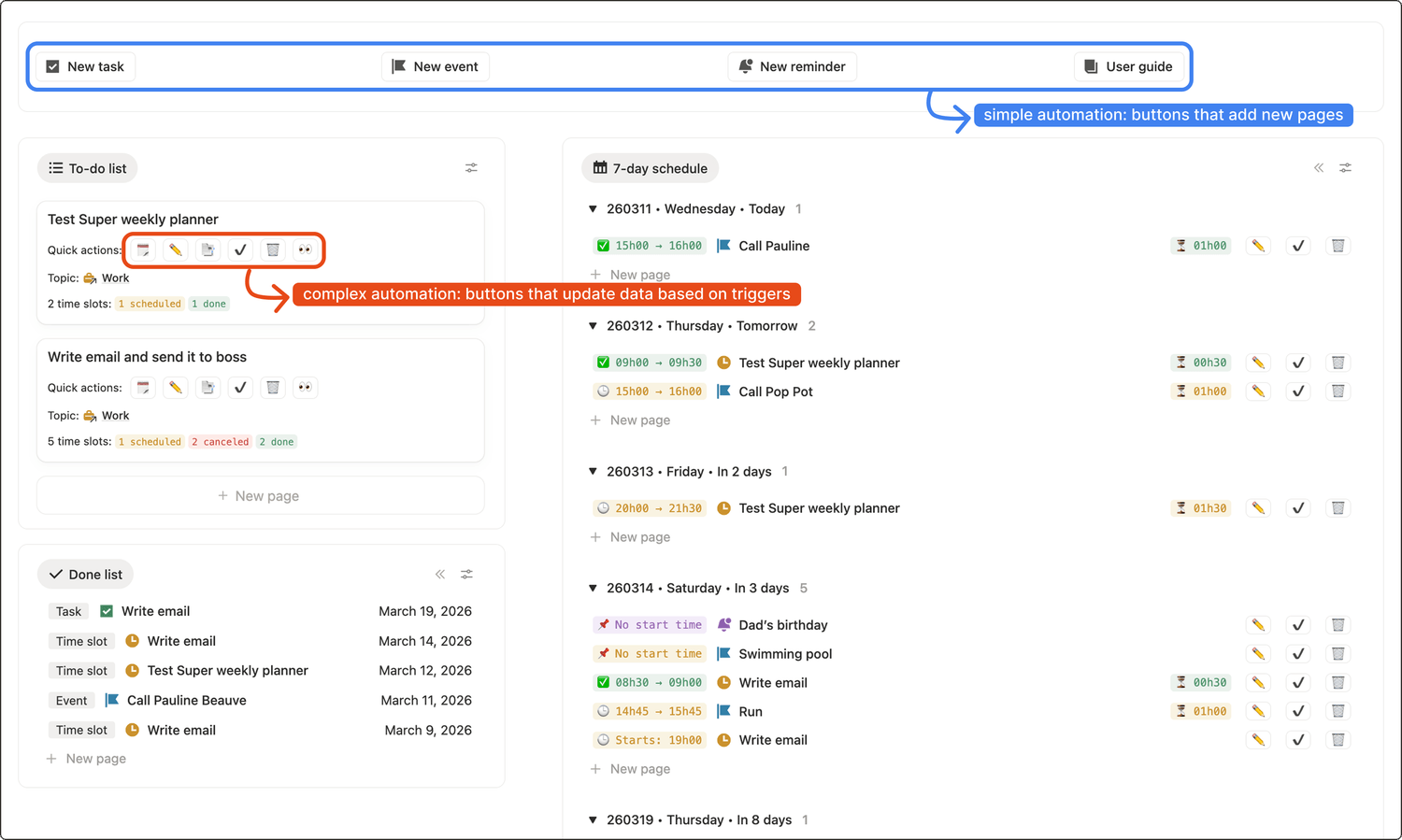
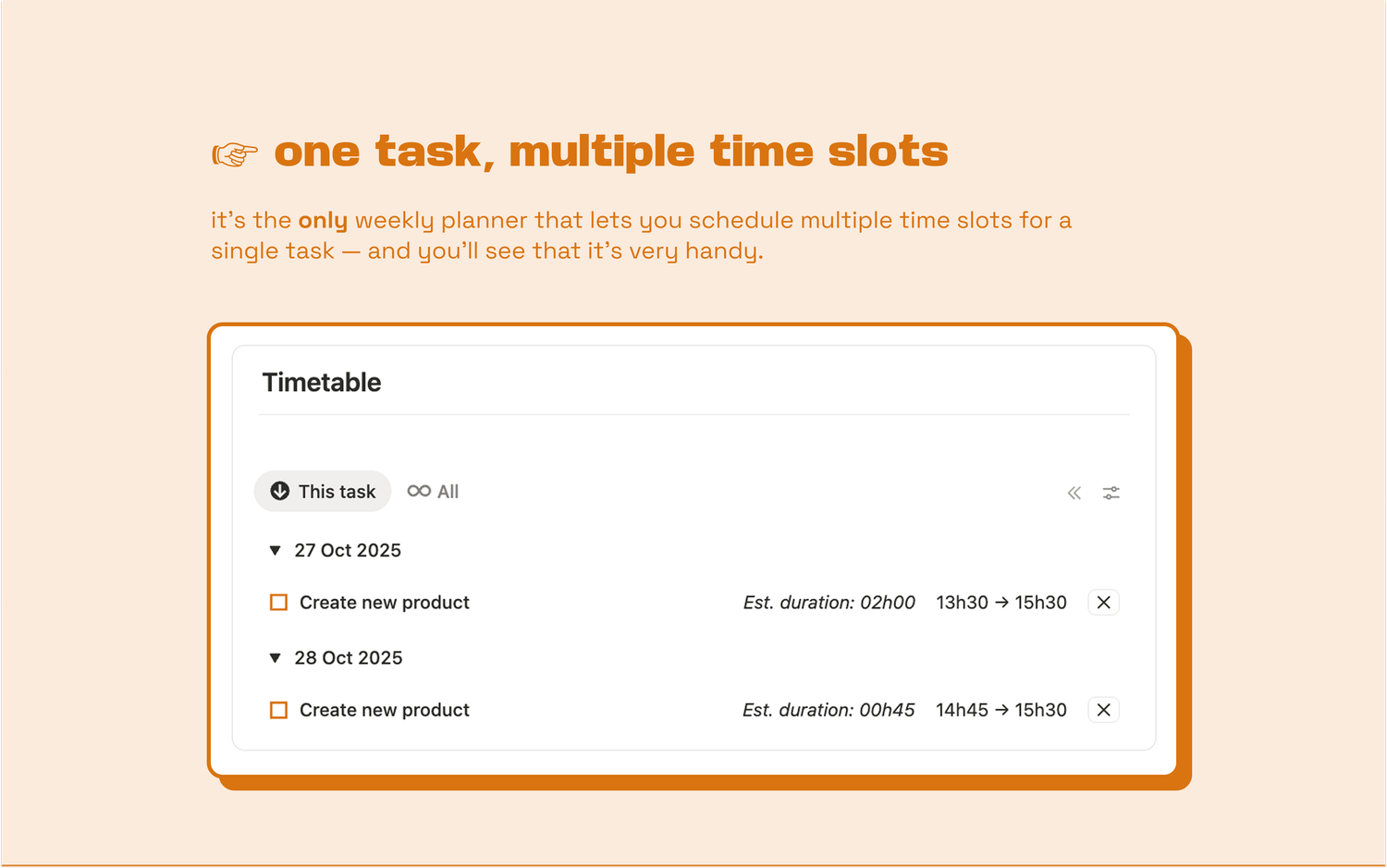
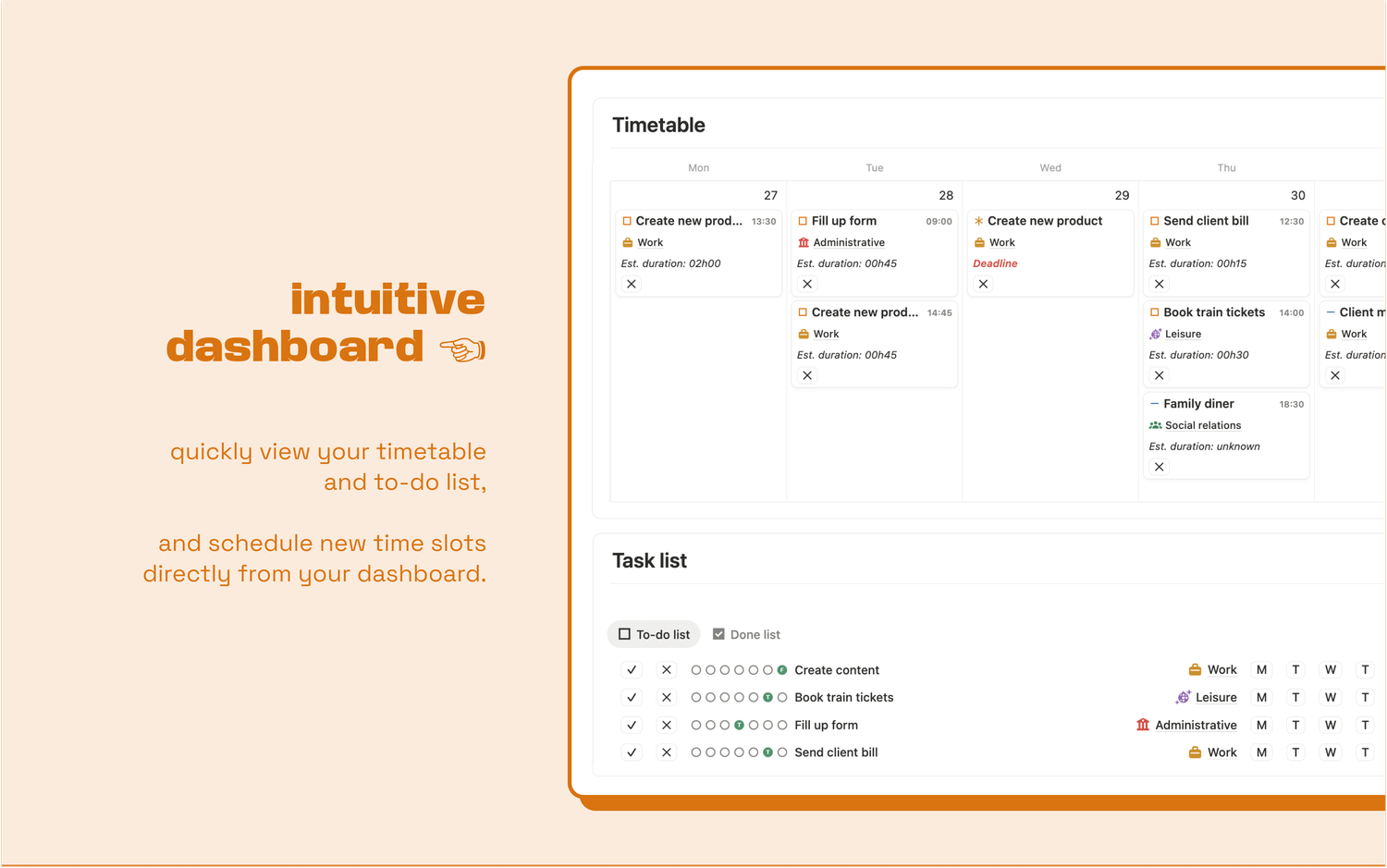
Preview of my advanced weekly planner template
4. Are the views functional, or does it feel like a spreadsheet?
Notion databases are spreadsheets, but they can be displayed in many different ways. It is worth taking advantage of those options.
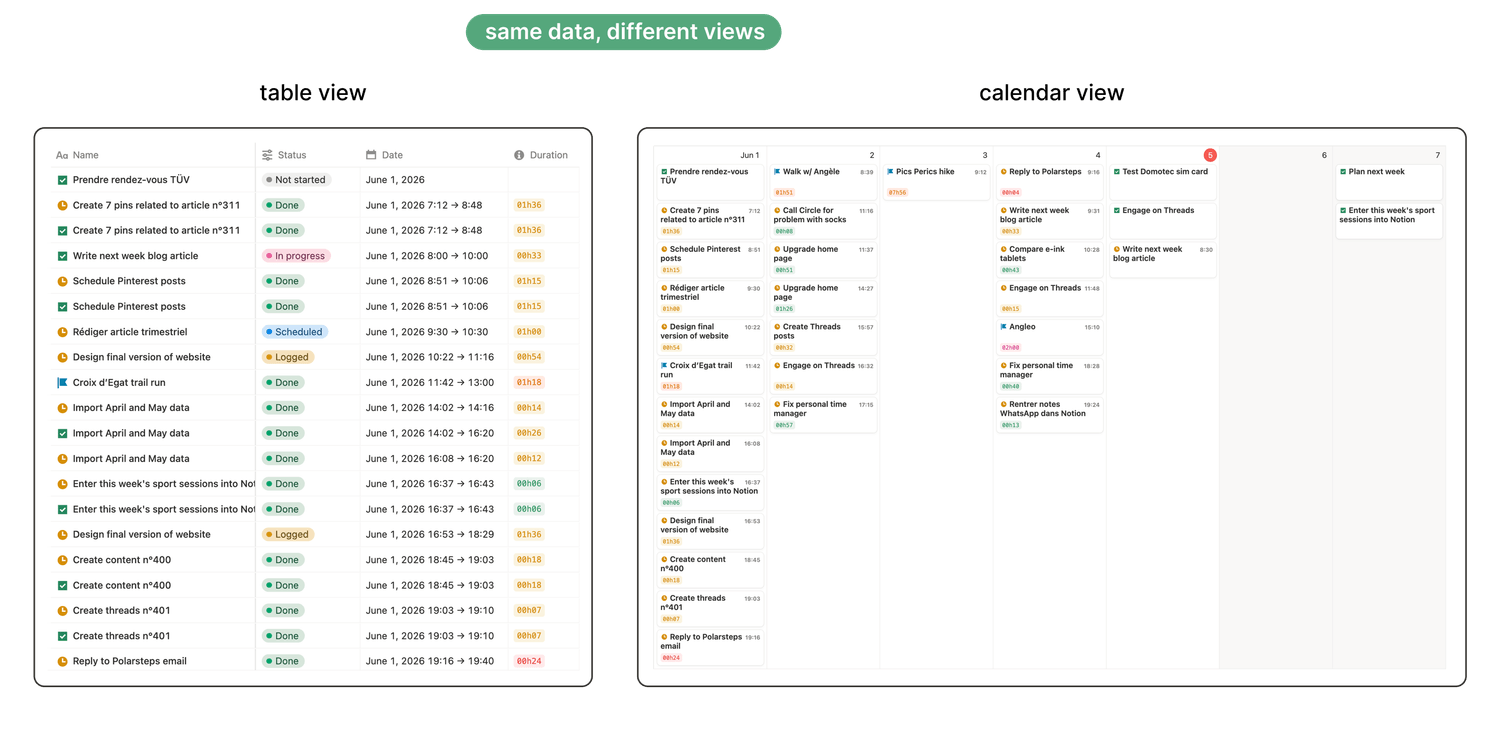
If a template is nothing more than a collection of tables, you can probably find something more thoughtful with a bit more searching.
A higher-quality template (whether it’s free or paid) often uses different database views to make day-to-day use easier, such as:
🖼️ Gallery view
🗓️ Calendar view
📋 List view
🎛️ Board view
🧐 Why it matters: you are more likely to stick with a system that feels clear and pleasant to use.
5. Is there a user guide or onboarding?
Basic templates can be intuitive enough without instructions. But as soon as a template includes more features, more databases, or more automation, you will want some kind of onboarding.
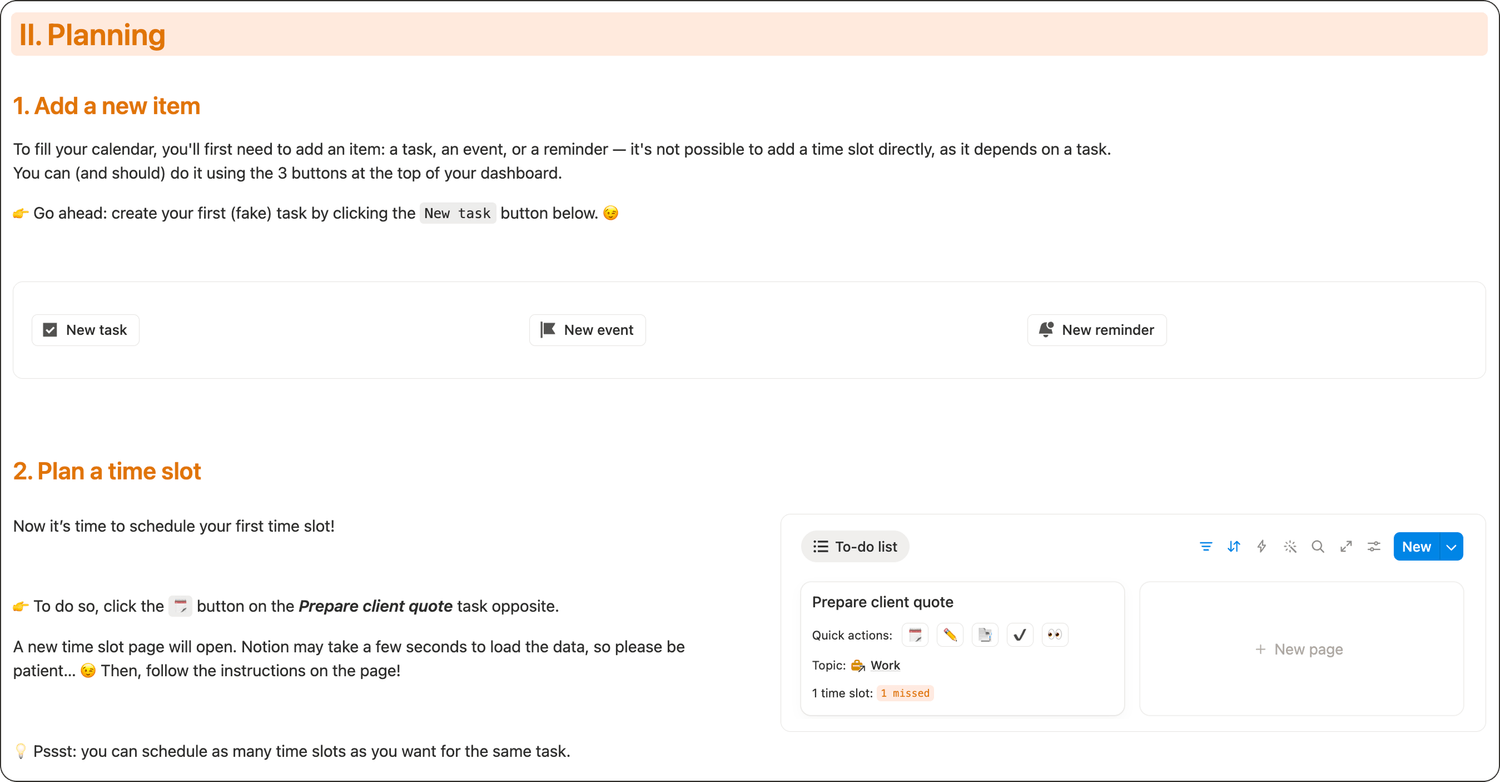
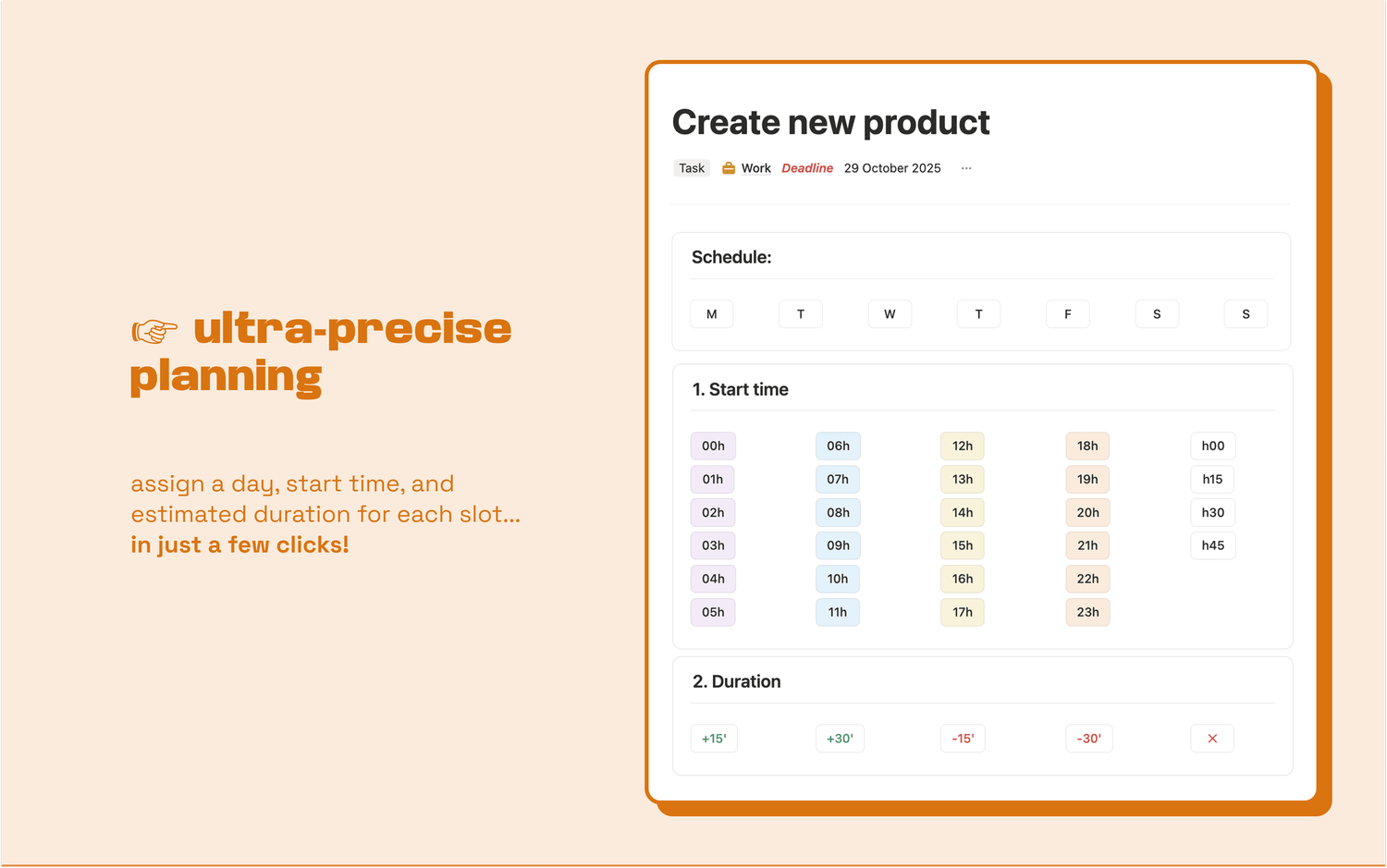
Preview of the interactive onboarding of my advanced weekly planner template
A good template will include a user guide or an instruction page. The best Notion templates also include interactive onboarding and exercises.
Without onboarding, even a great template can feel confusing, and you may abandon it before you get any real value from it.
Final thoughts
Before you download a Notion template, take two minutes to evaluate it:
1️⃣ Does it match your Notion plan?
2️⃣ Is it built on databases, not just pages?
3️⃣ Will it reduce manual work?
4️⃣ Does it offer usable views?
5️⃣ Can you learn to use it quickly thanks to onboarding?
The right template should not just look good. It should make your workflow easier, faster, and more consistent.
🗓️ Weekly planners
Turn your cluttered to-do list into a clear schedule, every single week.
basic
advanced
Calendar items
Manage tasks
●
●
Manage events
●
Set reminders
●
Scheduling features
Schedule per day
●
●
Plan by time of day (morning, afternoon, evening)
●
Set a precise start time
●
Estimate duration
●
Plan multiple time slots per task
●
Other advantages
Automatic status update
●
●
Topic-based organisation
●
Interactive user guide
●
Latest blog posts
notion by moona
High-quality Notion workspaces for entrepreneurs with high standards.