Build your own habit tracker in Notion
Tracking habits consistently is hard, especially when the system feels complicated or time-consuming. The good news: you can build a clean, simple habit tracker in Notion in just a couple of minutes, and then automate it so it creates itself every day.
Here’s a step-by-step guide you can follow to set up your own.
And if you’re more comfortable with a video explanation, you’ll find one at the end of the article!
1. Create a new database
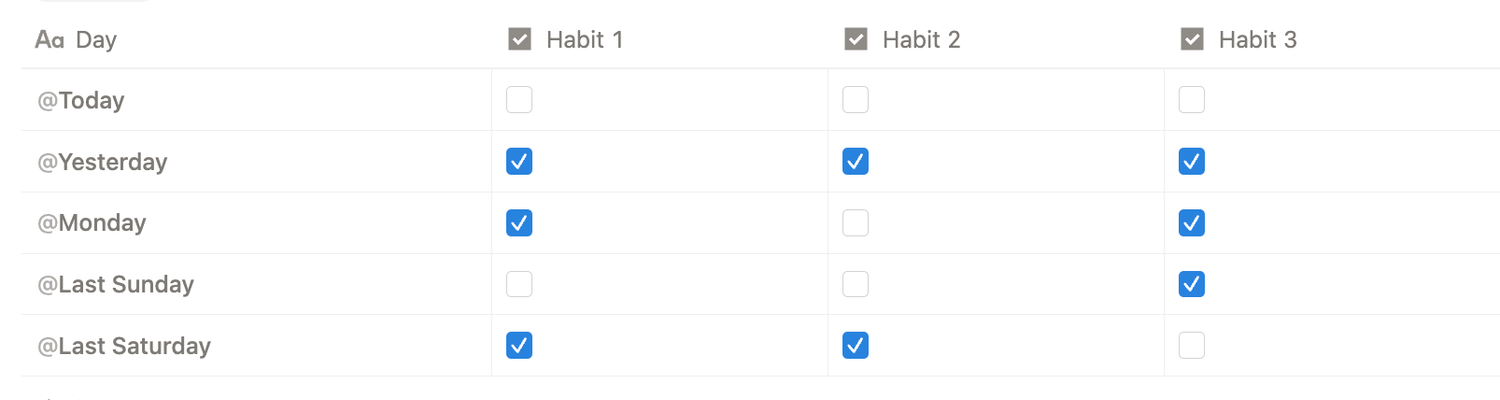
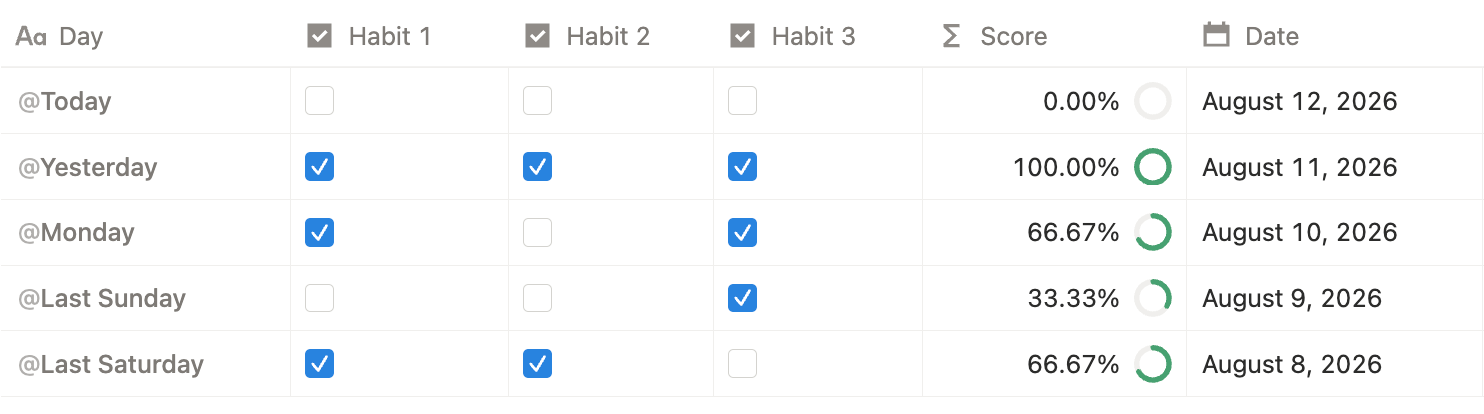
Start by creating a brand-new database in Notion. This will be the foundation of your habit tracker. Each entry (row) will represent one day of tracking.

2. Add one checkbox property per habit
Inside your database, create a Checkbox property for each habit you want to track.
You can add as many habits as you want, the system scales easily.
3. Add a formula to calculate your progress
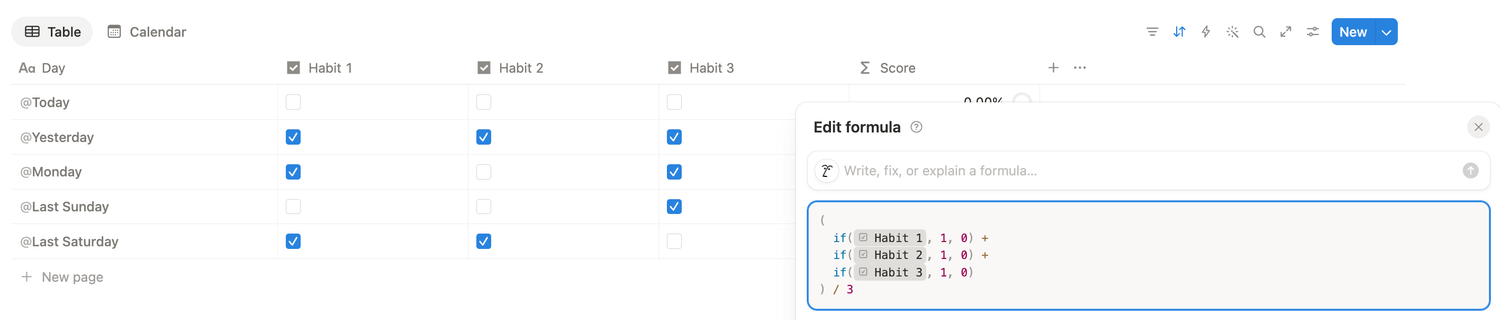
Add a Formula property and rename it Score. This will calculate your completion percentage for the day.
Use this formula as a starting point:
(
if(prop("Habit 1"), 1, 0) +
if(prop("Habit 2"), 1, 0) +
if(prop("Habit 3"), 1, 0)
) / 3
And customize it to your needs:
👉 Replace "Habit 1", "Habit 2", "Habit 3" with your own property names.
👉 If you track more than 3 habits, add more if() lines.
👉 Update the divider (3) to match your total number of habits.
4. Format your formula property
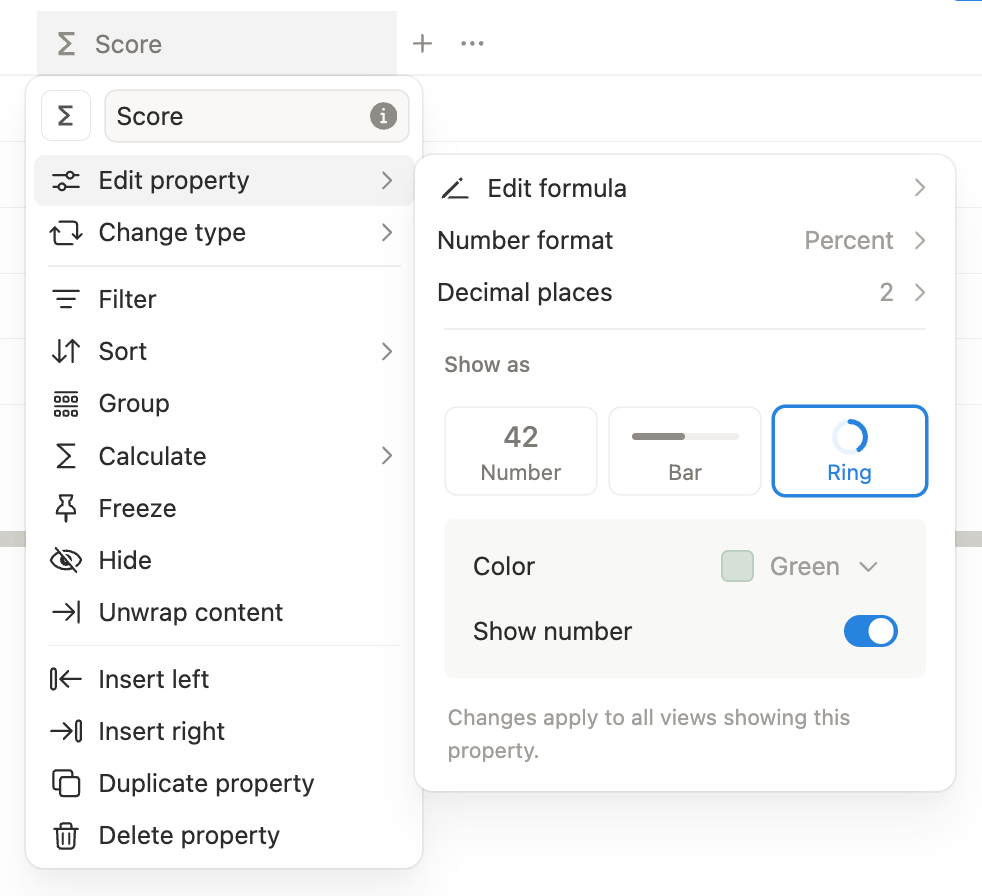
To make your tracker more visual, format your formula property as followed:
1️⃣ Click the Score property
2️⃣ Choose Edit property
3️⃣ Set Number format to percent
4️⃣ Set Decimal places to 2
5️⃣ Choose Show as ring
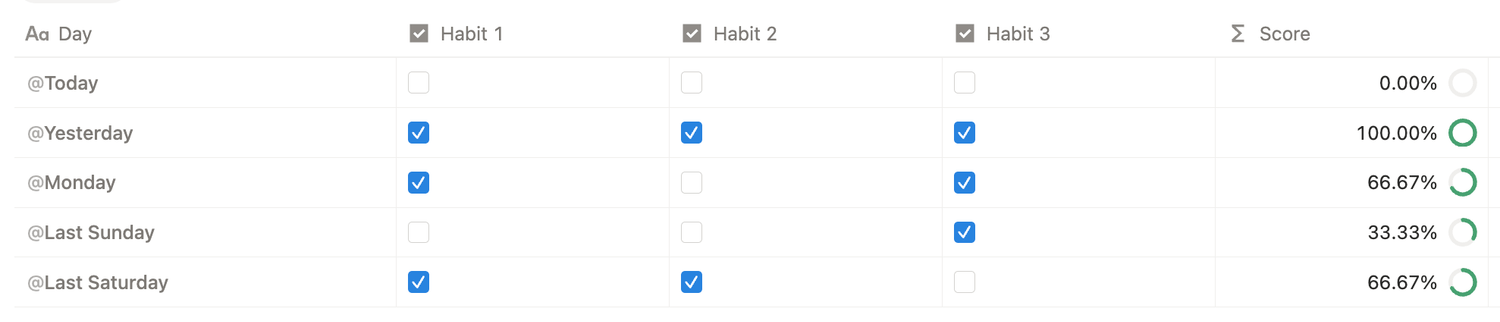
Now you’ll see a progress ring showing how many habits you completed that day.
5. Add a date property
To make the tracker work smoothly over time (and to support calendar views), create a Date property.
6. Create an automated daily template
This is where the tracker becomes truly effortless.
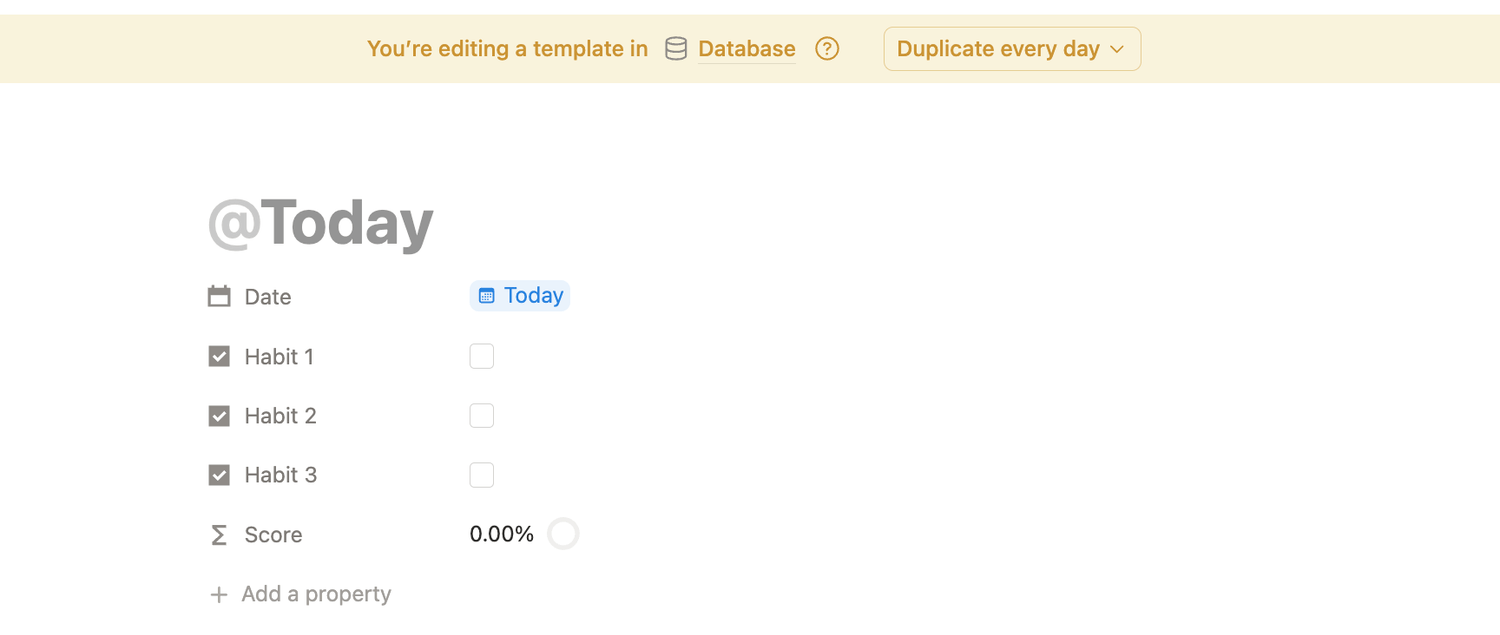
1️⃣ In your database, click the small arrow next to New (top right)
2️⃣ Select New template
3️⃣ Name the template @Today
4️⃣ Notion will offer two options: choose Date when duplicated
5️⃣ Set your Date property to Today
6️⃣ At the top of the template page, click Duplicate every
7️⃣ Choose Day
8️⃣ Save your settings
From now on, Notion will automatically generate a fresh daily tracking entry for you.
7. Make it easier with a calendar view
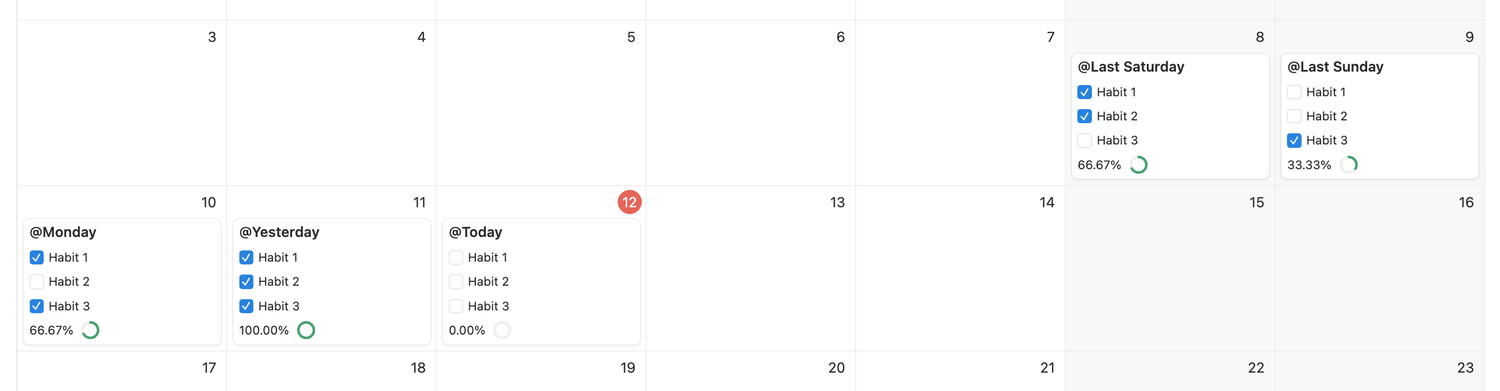
Once you’ve tracked for a few days, your database becomes even more useful in a calendar format.
Create a new Calendar view and make the following properties visible:
👉 All your habit checkboxes
👉 Your Score property (ideally last)
Now you’ll be able to see and check off your habits directly in the calendar, day by day.
You’re done
Congrats! You now have:
✅ A habit tracker with checkboxes
✅ An automatic completion score
✅ A clean progress ring
✅ Daily automation (no manual setup)
✅ A calendar view for an intuitive workflow
Latest blog posts
notion by moona
High-quality Notion workspaces for entrepreneurs with high standards.