How to build your own Notion time tracker in under 5 minutes
You don’t need a complex system to start tracking your time in Notion.
With one simple database and a handful of properties, you can track tasks, log start and end times, and calculate durations automatically.
Below is a clean, beginner-friendly setup you can build in just a few minutes.
Follow the guide!
What you are building
You’re going to create a database where each entry represents a task you want to track.
With it, you will be able to:
✅ Start tracking with one click
✅ Stop tracking with one click
✅ Automatically calculate the duration
✅ See progress at a glance with a status
Step 1: create the database and properties
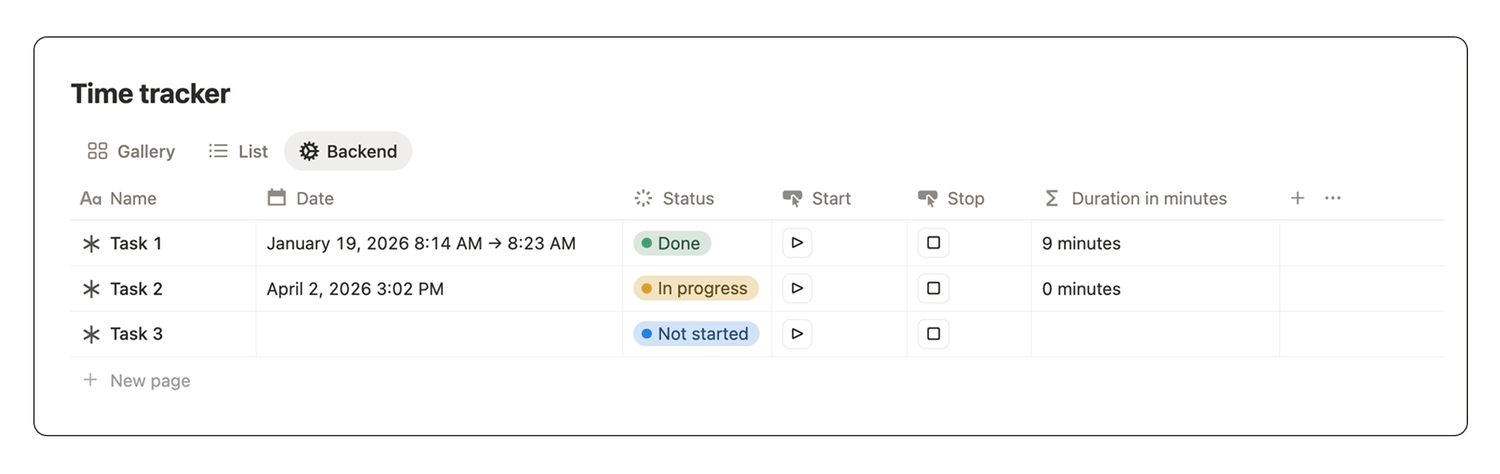
Create a new database called Time tracker and add the following properties:
1️⃣ Name
Property type: title.
2️⃣ Date
Property type: date.
Displays when the task happened.
3️⃣ Status
Property type: status.
Leave the default options: not started, in progress, done.
4️⃣ Start
Property type: button.
Starts tracking session and stores your start timestamp.
5️⃣ End
Property type: button.
Stops tracking session and stores your end timestamp.
6️⃣ Duration
Property type: formula.
Calculates the total time tracked (in minutes).
Step 2: configure the start button automation
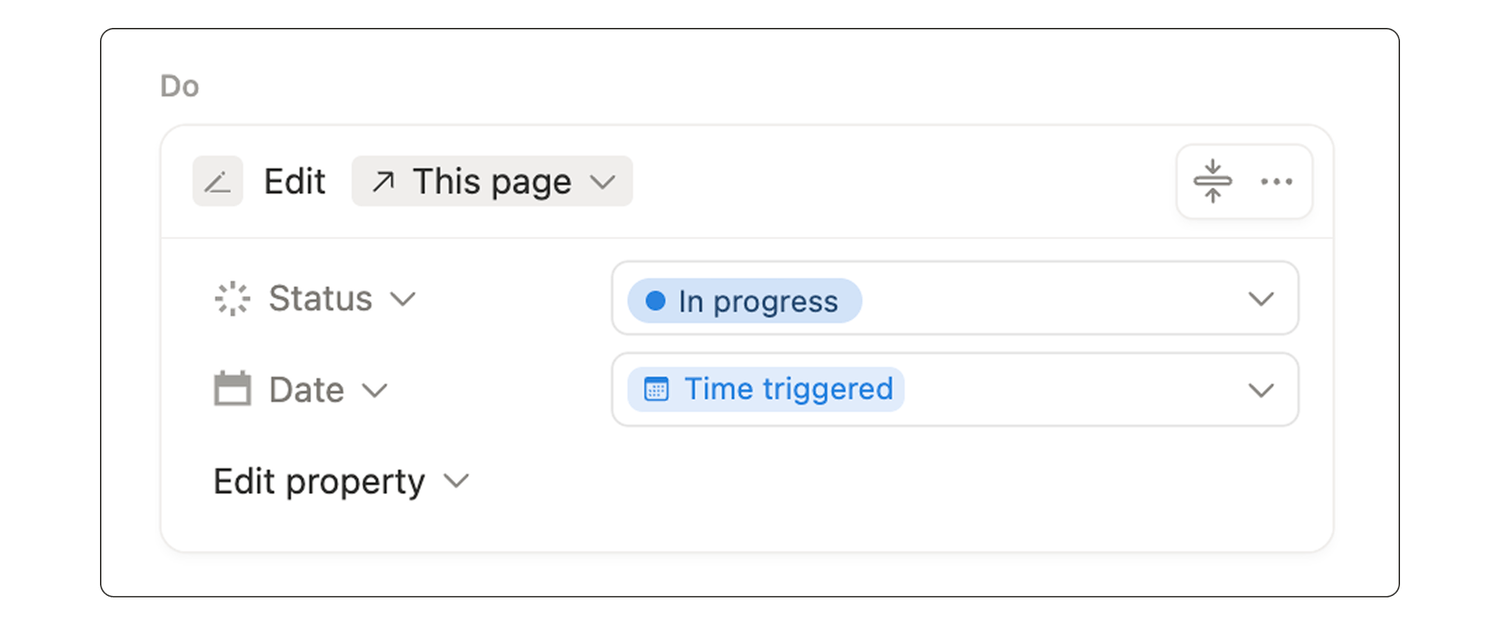
Edit the start button so that when you click it, it:
👉 Starts the tracking,
👉 Updates the task status to “in progress”
👉 And saves the start time.
Step 3: configure the stop button automation
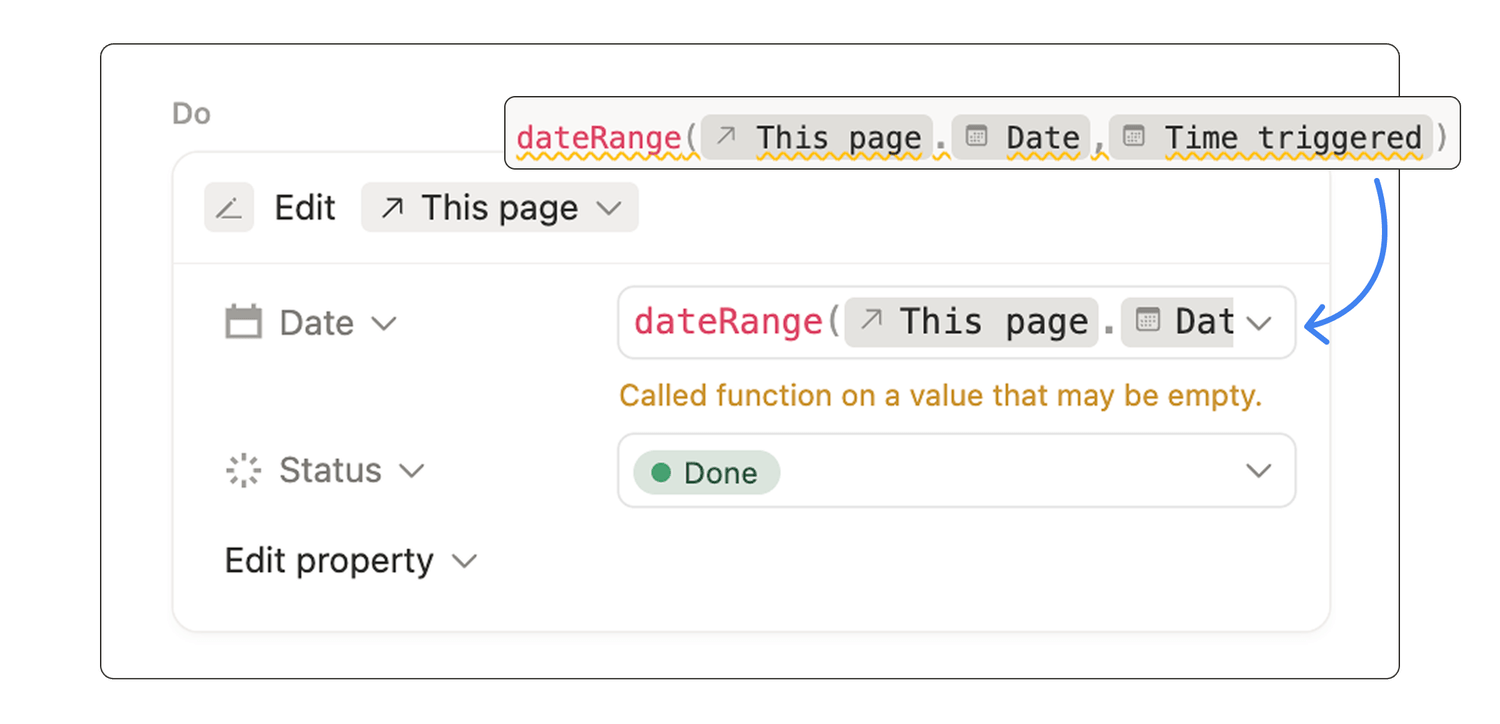
Edit the stop button so that when you click it, it:
👉 Stops the tracking,
👉 Updates the task status to “done”
👉 And saves the end time.
Step 4: configure the duration formula property
Copy paste this formula into your Duration property:
dateBetween(dateEnd(prop("Date")),dateStart(prop("Date")),"minutes") + " minutes”
Step 5: create views that make tracking easy
At this point, you have a functional Notion time tracker. It is quick to set up and easy to maintain.
Now you can adjust your database views to create a layout that works for you.
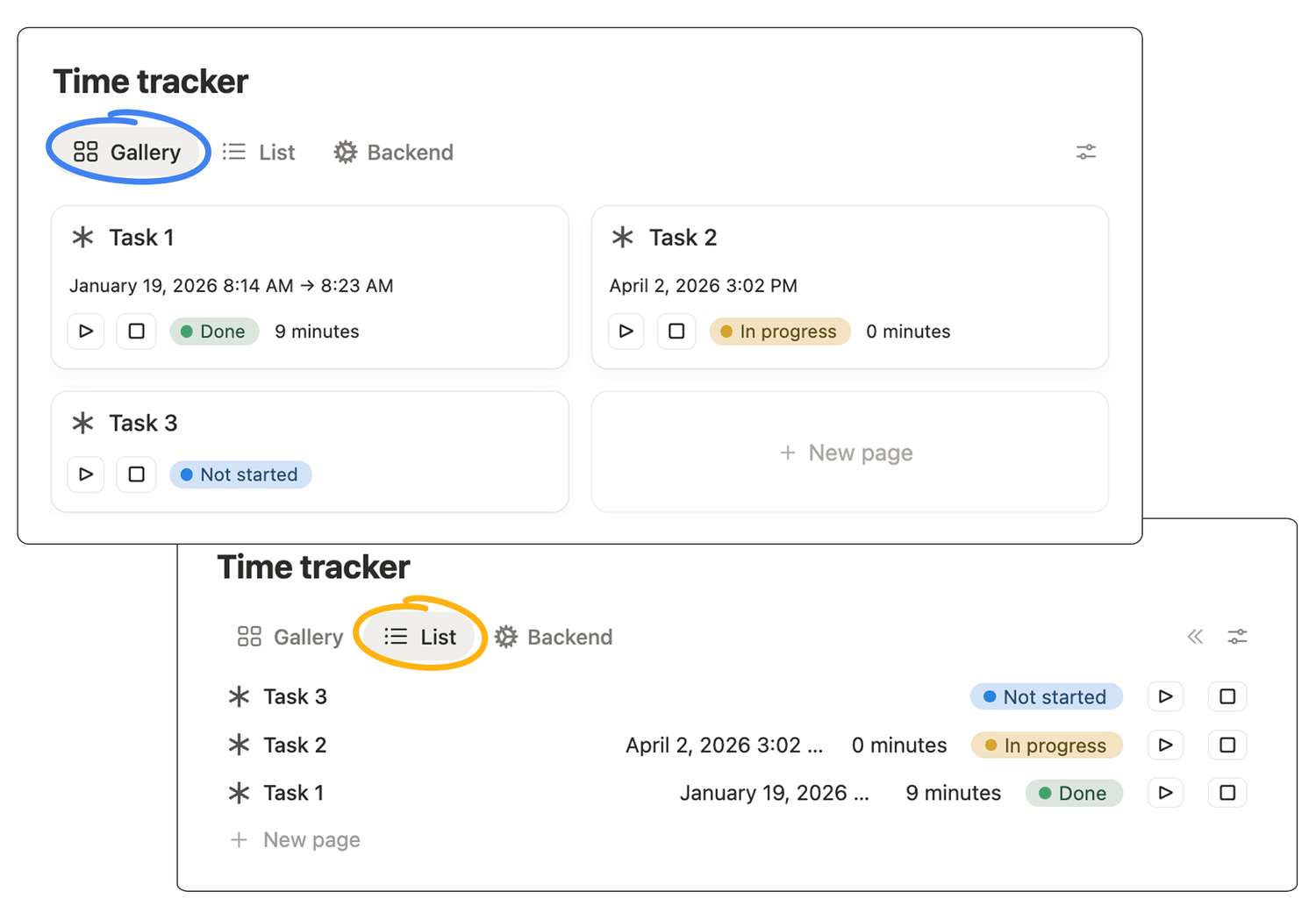
Easier alternatives
Here is the truth: you do not need to build a time tracker from scratch.
There are hundreds of free (and paid) time tracker templates on the Notion Marketplace.
If you want a ready-to-use version, that is often the fastest option.
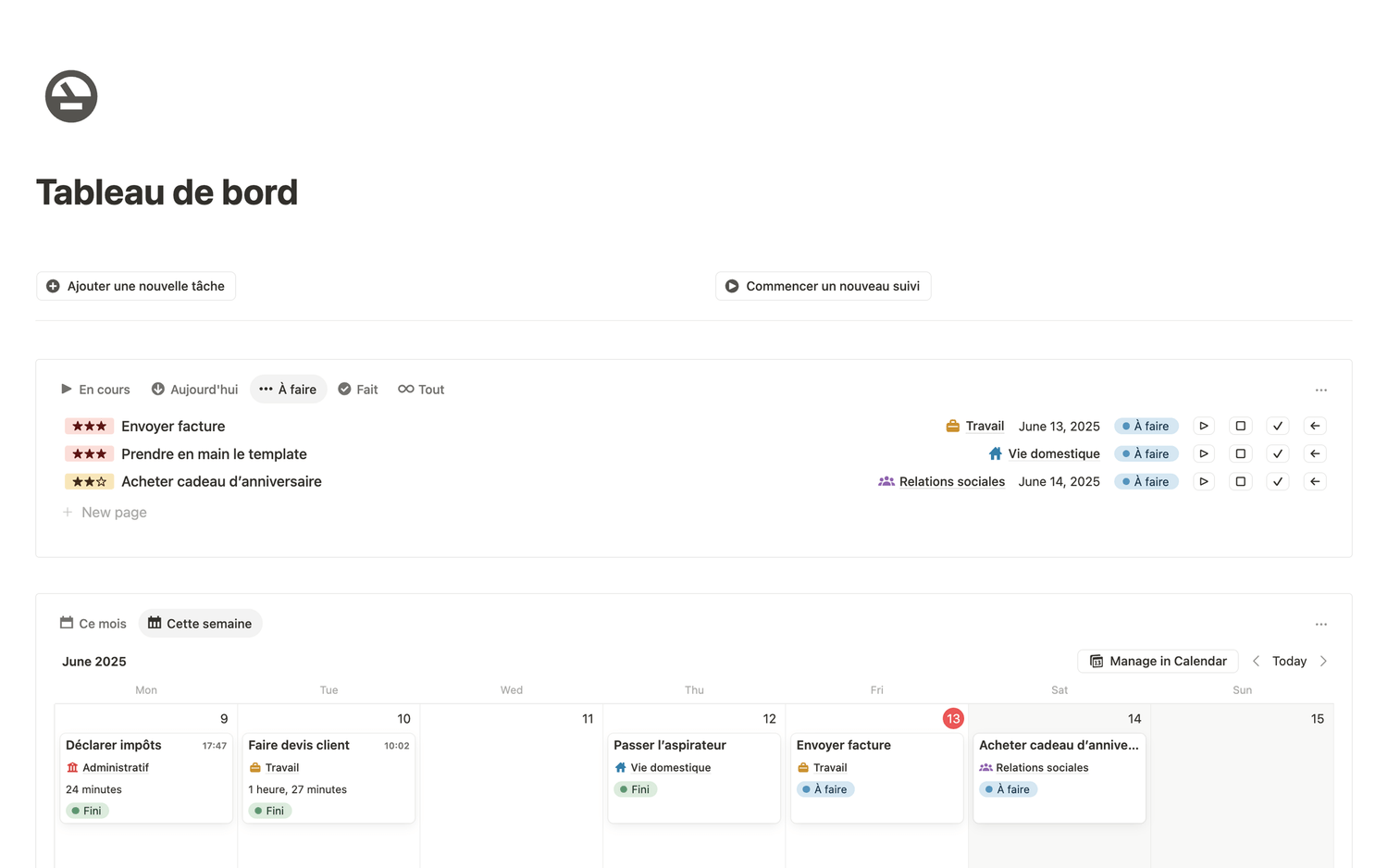
Here's mine (free):
Latest blog posts
notion by moona
High-quality Notion workspaces for entrepreneurs with high standards.