How to build a progress bar in Notion? Step-by-step tutorial
When you’re working on a project with multiple tasks, sub-tasks, sub-sub-tasks (and beyond), it can be hard to tell how far along you really are. The good news: in Notion, you can build a progress bar that updates automatically as you complete each task.
Let’s build it step by step.
Psssst: if you prefer a video tutorial, you’ll find it at the end of this article. 📹😉
1. Create and set up your database
First, create a new database by typing /database.
We’re going to use sub-items, so your projects can be the “parents”, and your tasks can live underneath, on several levels.
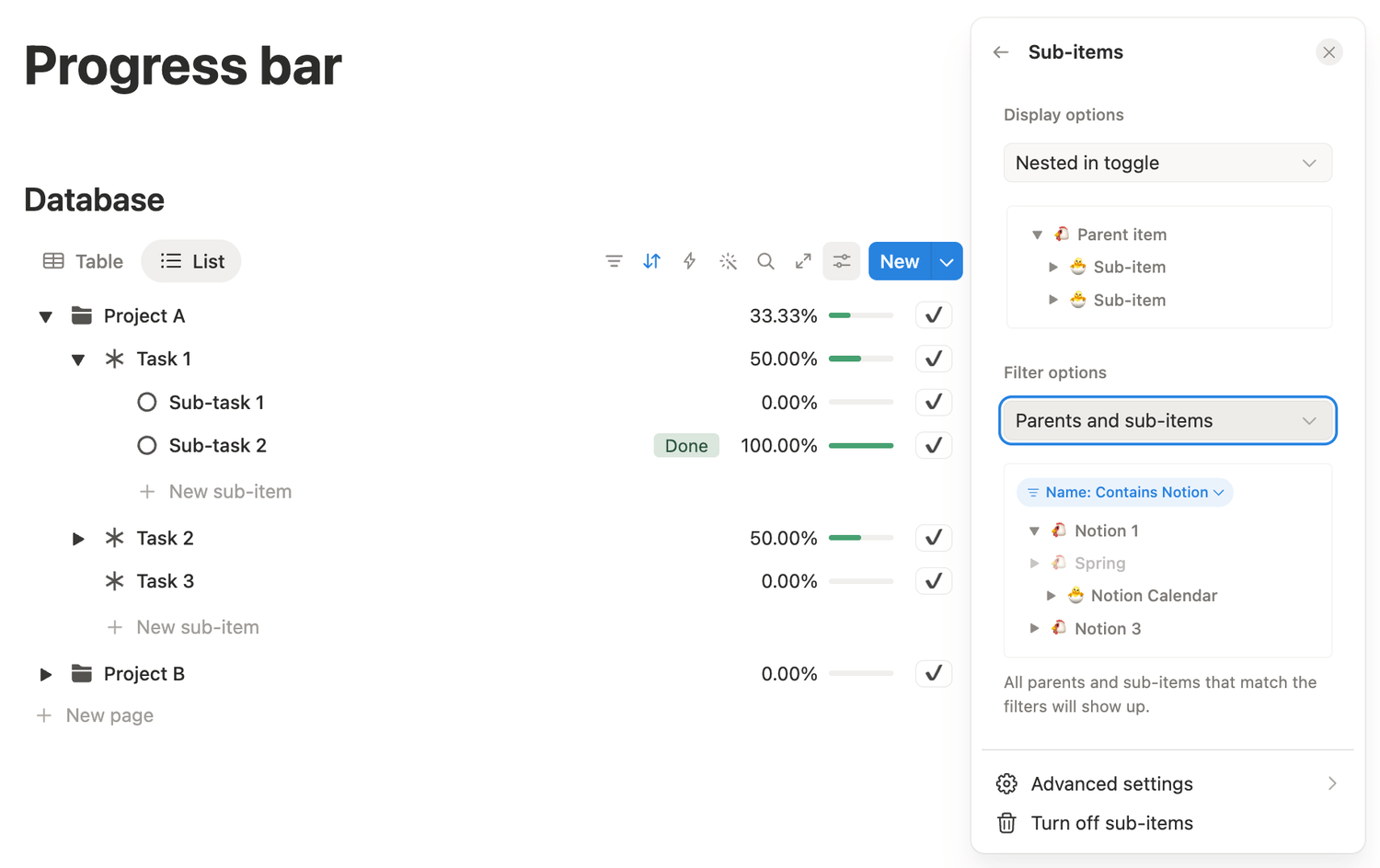
To enable that, click Settings in the top right of your database, go to More settings, find Sub-items and turn it on. Choose the Parents and sub-items filter option.
Perfect.
2. Add properties
Now that the structure is ready, we’re going to add five properties to the database. Here’s what we need:
1️⃣ A select property
2️⃣ A button property
3️⃣ A rollup property
4️⃣ A formula property
5️⃣ And another formula property
3. Set them up
Let’s configure each property.
1. Select
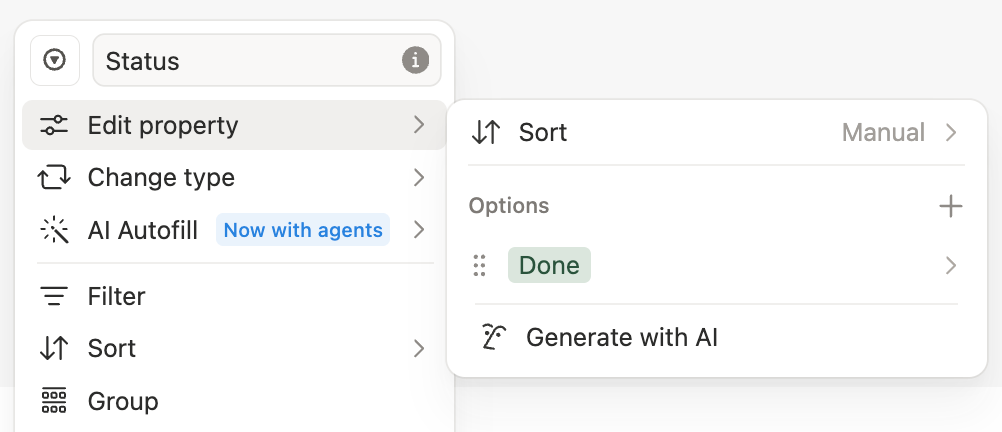
Click on the property’s name, choose Edit property and add an option called Done. Then rename the property to Status.
2. Button
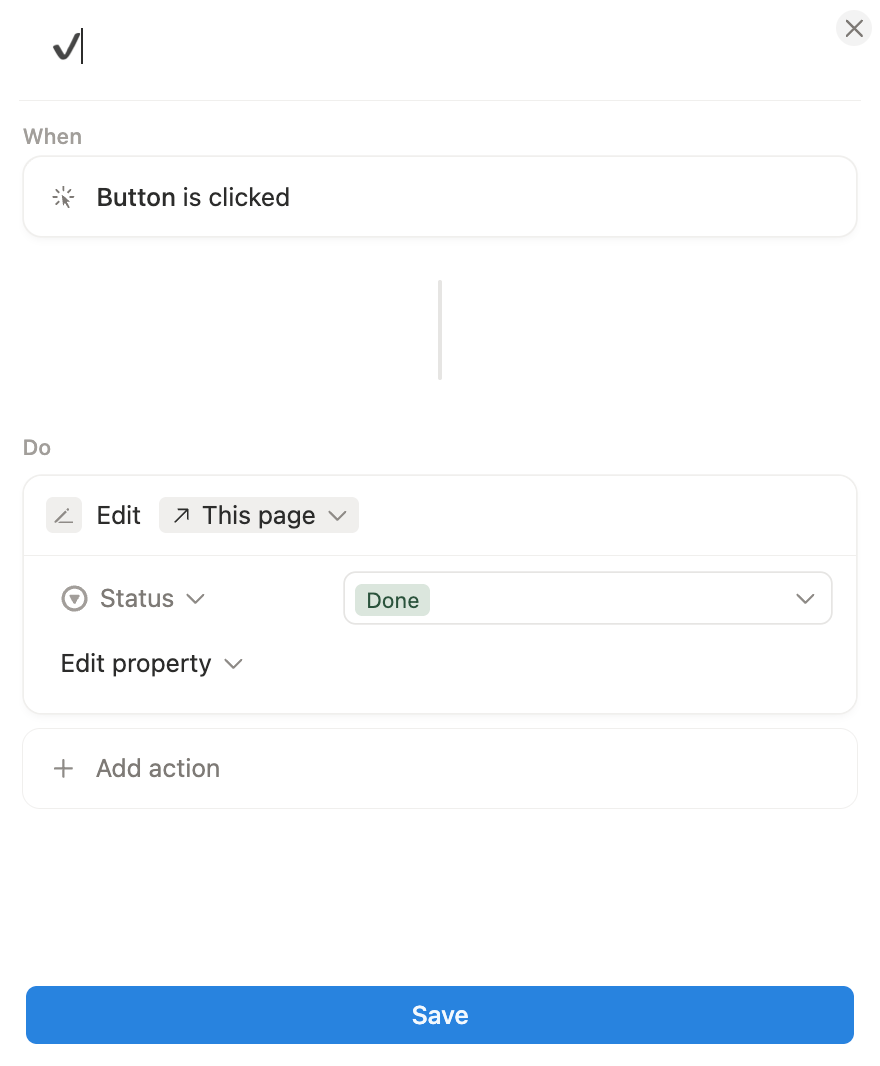
Start by renaming the property to Finished.
Go to Edit automation, and change the button label to a simple checkmark so your button looks cleaner.
Then click New action → Edit property → Status → and set it to Done.
Save your changes.
3. Rollup
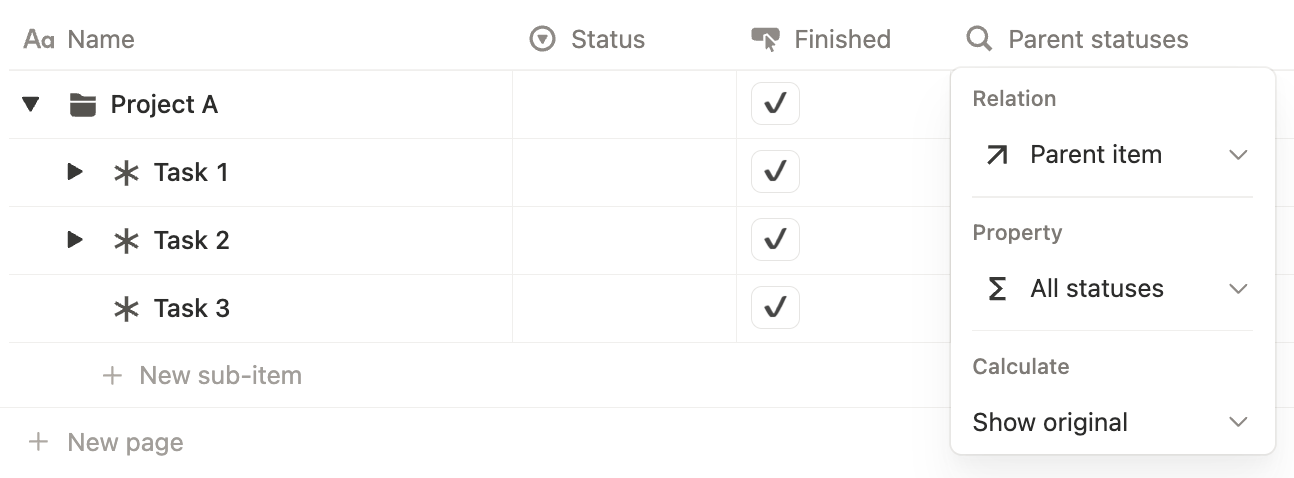
Rename your rollup property to Parent statuses and select:
👉 Relation = Parent item
👉 Property = Formula (it will be renamed to "All statuses" in the next step)
4. First formula
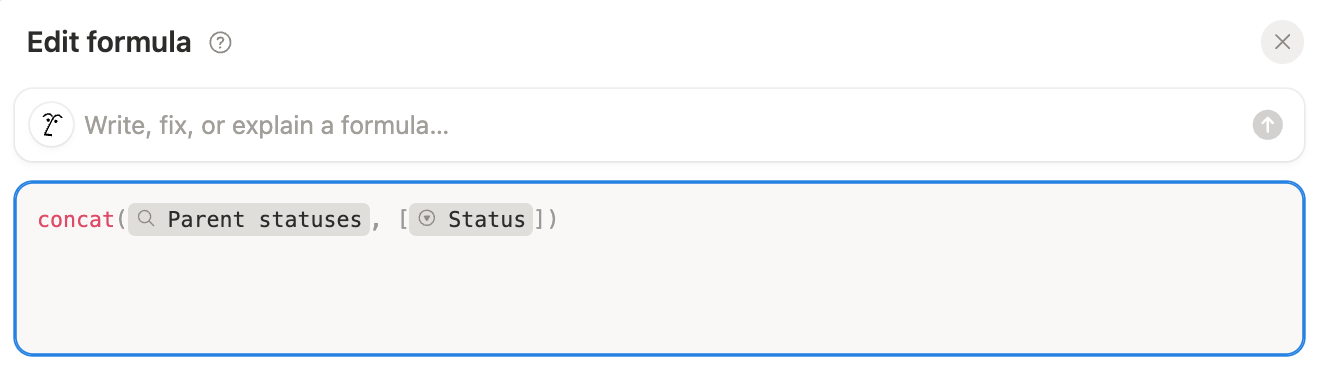
Rename your first formula to All statuses.
Click into any cell in that column, and copy/paste this formula inside:
5. Second formula
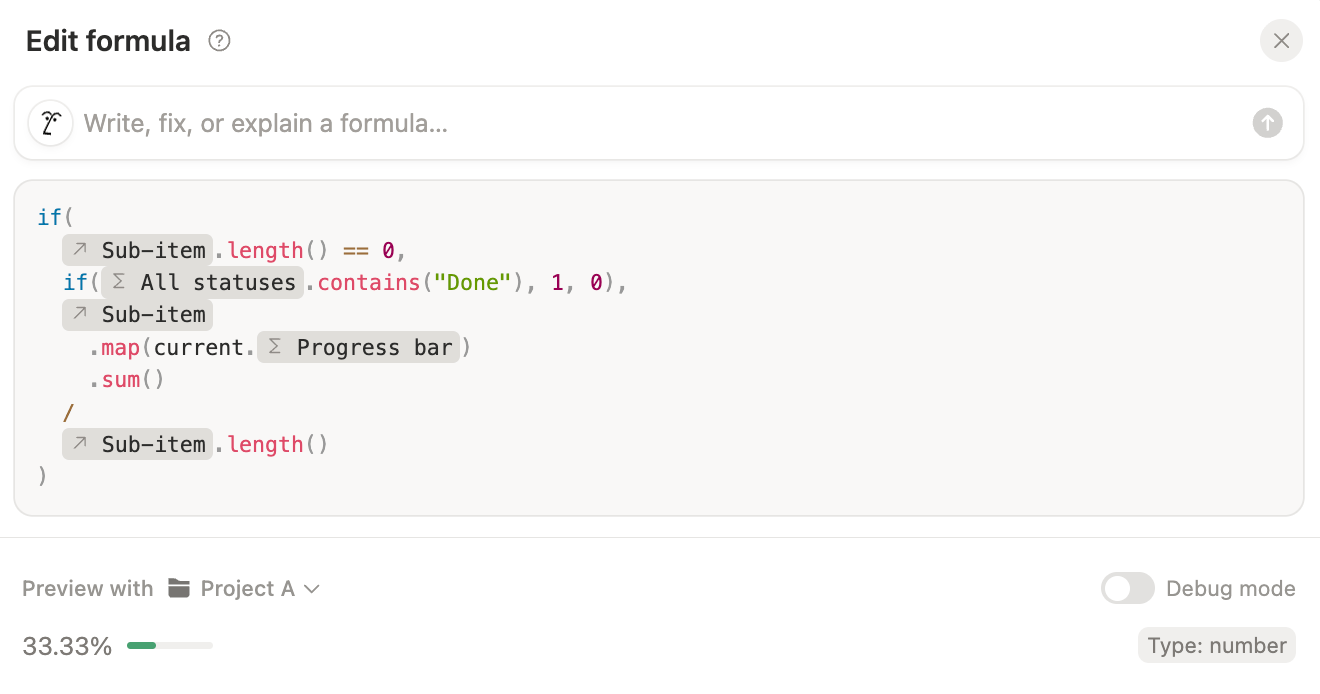
Rename your second formula property to Progress bar.
Go to Edit property, change the number format to percent and the decimal places to 2 (0 works too).
Make sure to show it as a bar.
Copy/paste this formula inside any cell:
if(prop("Sub-item").length() == 0,
if(prop("All statuses").contains("Done"), 1, 0),
prop("Sub-item").map(current.prop("Progress bar")).sum() / prop("Sub-item").length())
Your progress system is ready.
4. Customize layout
Now let’s make this actually useful day-to-day. Create a new List view. And in that view, display these properties in this exact order:
1️⃣ Status
2️⃣ Progress bar
3️⃣ Finished
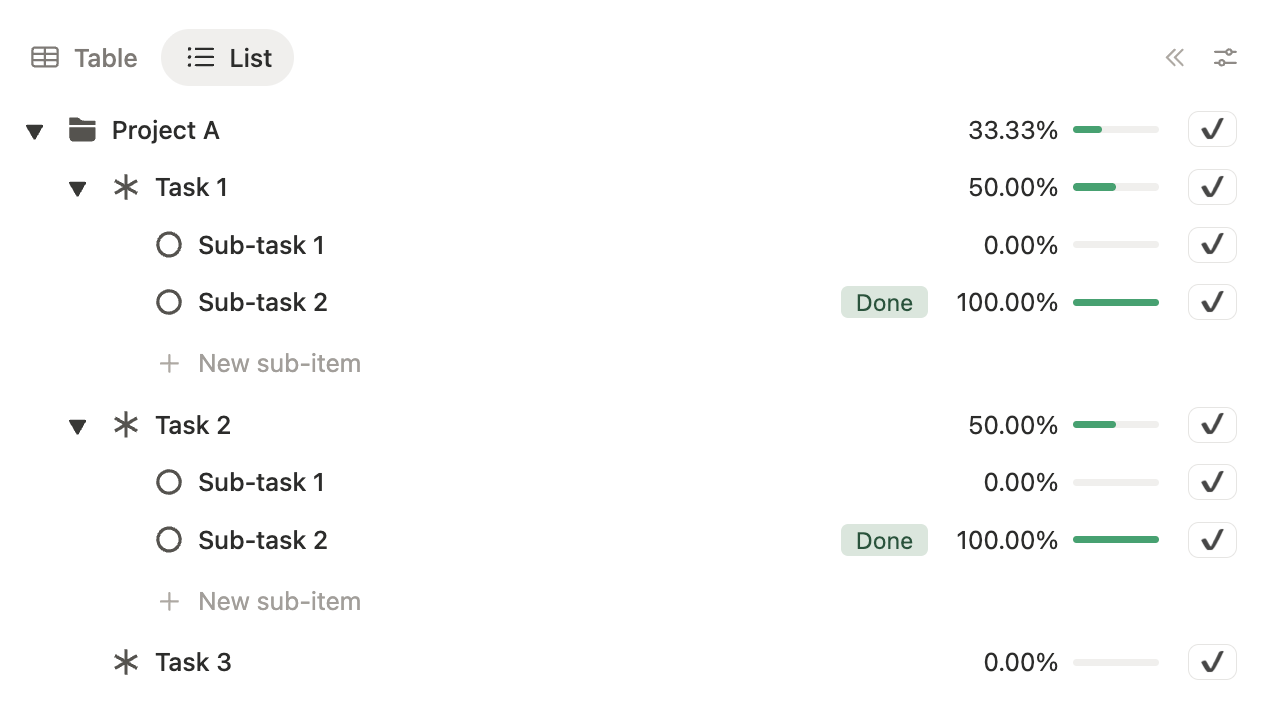
And that’s it.
When you check off finished tasks, each parent item’s progress updates automatically as its sub-tasks are completed. You now have a clear Notion setup to track your projects and your tasks.
Latest blog posts
notion by moona
High-quality Notion workspaces for entrepreneurs with high standards.