How to create an automatic breadcrumb trail in Notion
If you’ve ever had to organize files on your computer, you know how easy it is to get lost in an endless maze of folders and sub-folders, without really knowing what level you’re in.
Notion databases can feel the exact same way when you start using them to categorize things with multiple levels (categories, sub-categories, projects, sub-projects, and so on).
👉 In this article, I’ll show you how to create an automatic breadcrumb in Notion: a simple line that shows you exactly where you are in your database, and how you got there.
It’ll look something like this:
Home → Clients → Acme → Website redesign
📹 A video tutorial is also available at the end of this article.
1. Create and set up your database
First things first: create a database by typing /database.
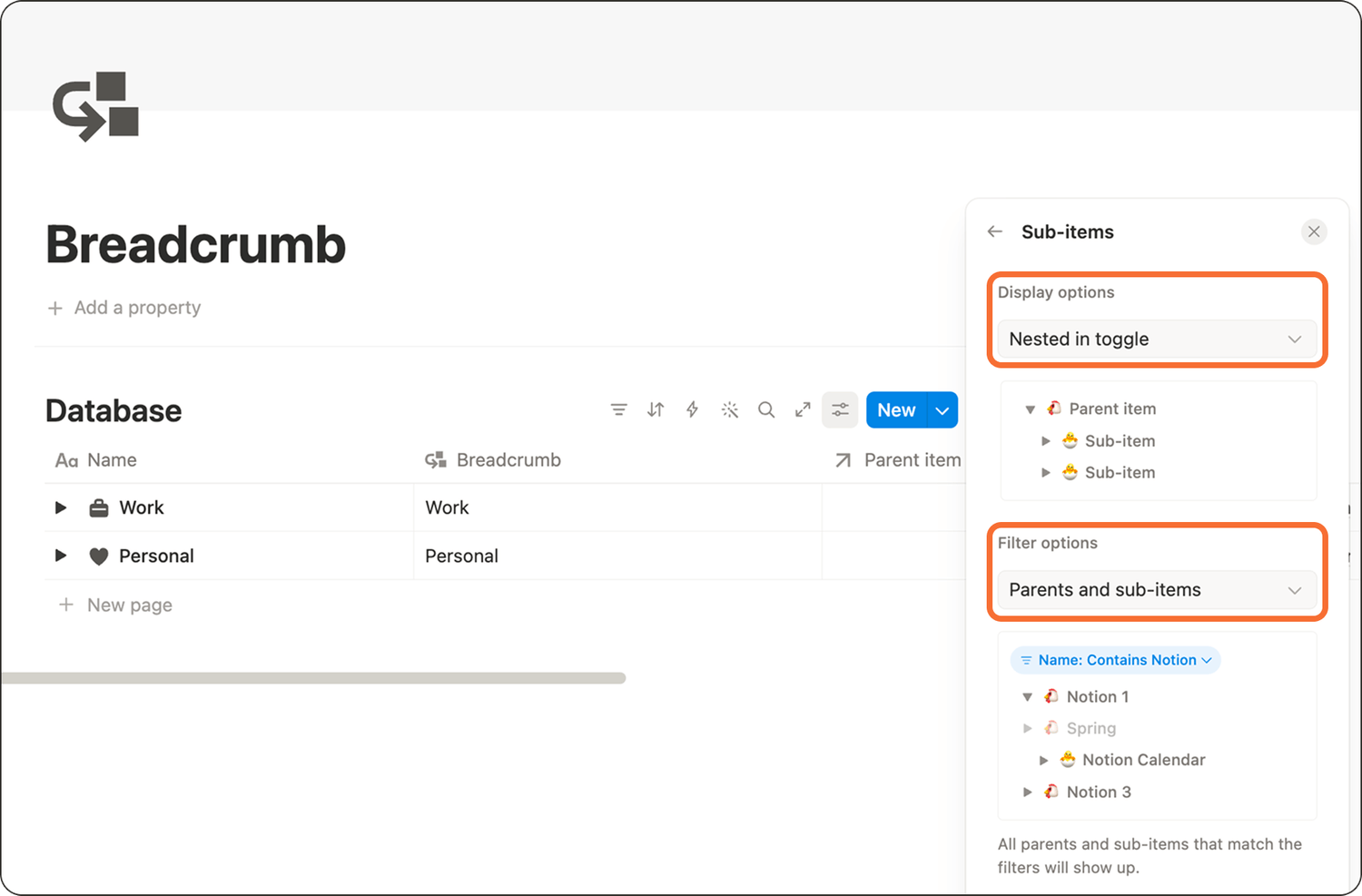
Then, enable sub-items: go to the database’s Settings (top right corner), click More settings and turn on sub-items.
Make sure the display option is set to Nested in toggle and the filter option to Parents and sub-items.
Your database is ready.
2. Build the breadcrumb trail
To build the breadcrumb trail, you will need to add 3 properties to your database:
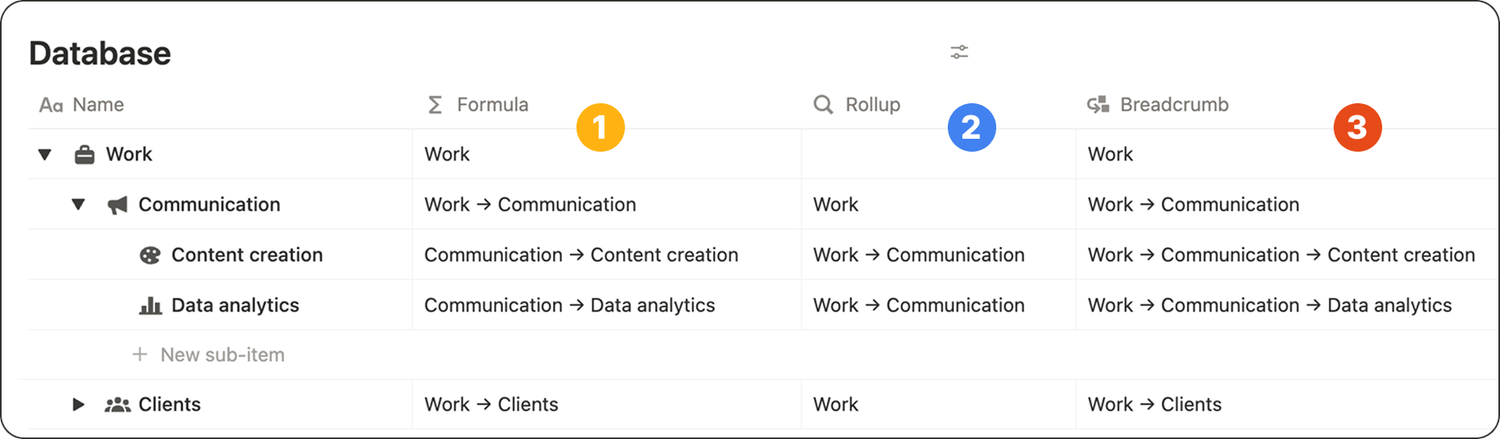
1️⃣ First, create a new formula property to display the page and its parent item names.
Copy/paste the formula below in it.
if(empty(prop("Parent item")), "", format(prop("Parent item")) + " → ") + prop("Name")
This property will only be useful in the backend: it is not the breadcrumb itself.
2️⃣ The second property to add is a rollup. Don't set it up right now.
3️⃣ Third, create another formula property called Breacrumb. Copy/paste the formula below in it.
if(empty(prop("Rollup")), "", prop("Rollup") + " → ") + prop("Name")
This is the breadcrumb trail that will actually display in your pages.
4️⃣ Set up your rollup property like this:
👉 Relation = Parent item
👉 Property = Breadcrumb (property added in 3️⃣)
👉 Calculate = Show original
3. Display your new breadcrumb trail
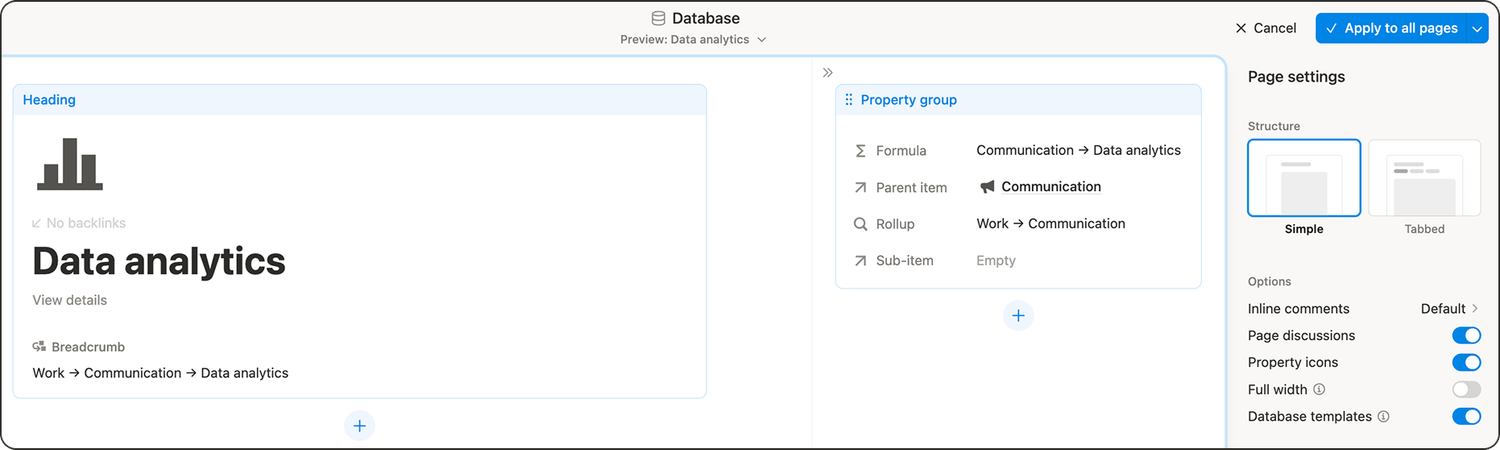
1️⃣ Open any page from your database.
2️⃣ Click the three dots in the top right and go to Customize layout.
3️⃣ In the layout editor: click the Heading section, find the Breadcrumb property and pin it so it appears right under the page title.
4️⃣ Your other properties are only useful behind the scenes. Grab the entire property group and drag it into the side panel.
5️⃣ Then click Apply to all pages to save your new layout.
And that’s it! ✌️ You now have a breadcrumb system in Notion that updates automatically as you add, move, or restructure your hierarchy.
Latest blog posts
notion by moona
High-quality Notion workspaces for entrepreneurs with high standards.