How to add a line break in your Notion formula property?
A formula property is a great way to combine multiple fields into one clean summary. The only downside is that you cannot add a new line with Shift + Enter the way you can in a text field. Yet, without line breaks, your "clean summary" can be hard to scan.
The fix is simple: insert a line break by adding "\n" in your formula.
Why add line breaks in a Notion formula?
✅ To make summaries easier to read in all views.
✅ To display multiple pieces of information on separate lines inside a single property.
How to add a line break in a formula property?
1️⃣ Open your database and click your formula property.
2️⃣ Make sure your formula returns text.
3️⃣ Insert "\n" exactly where you want a new line.
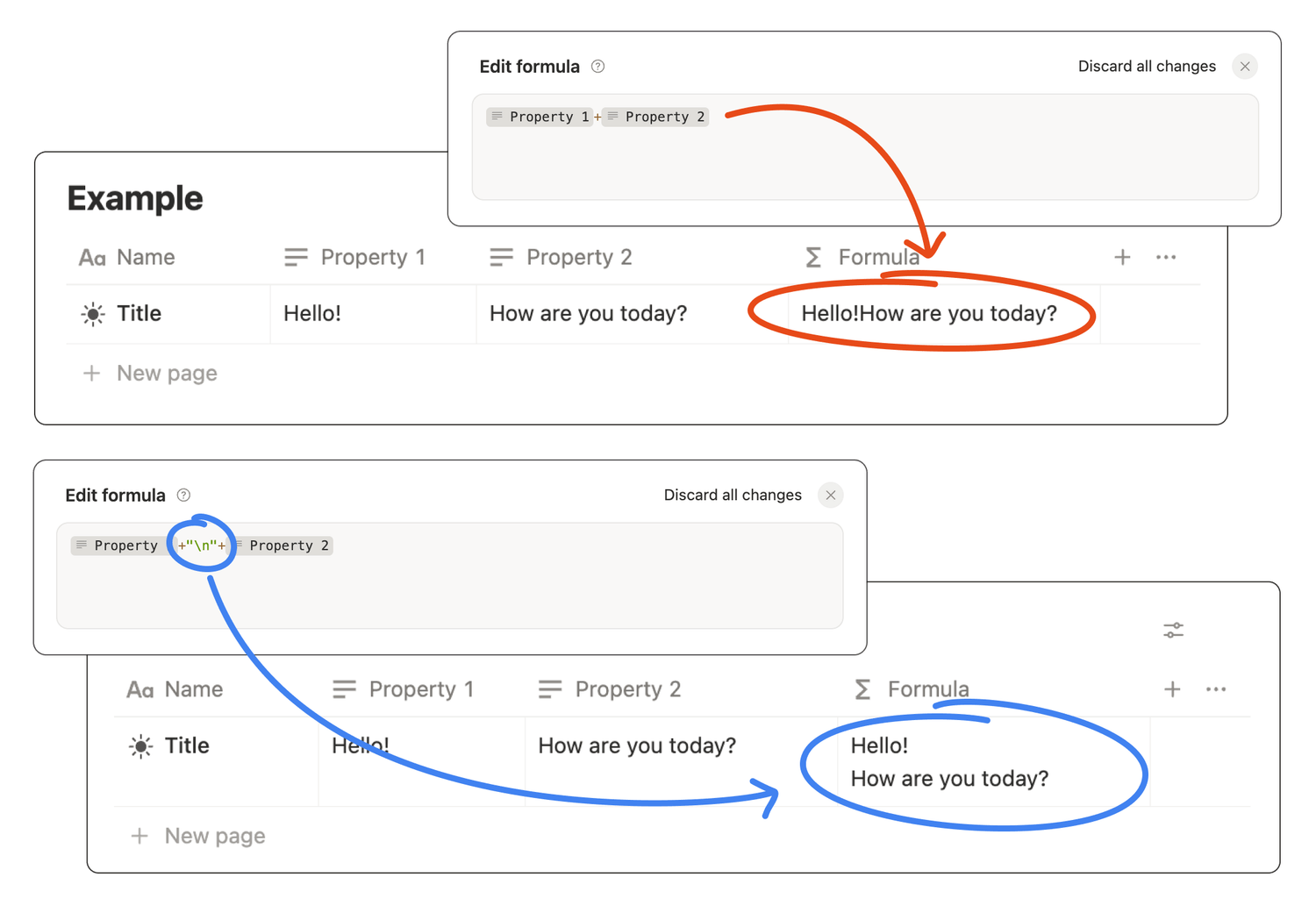
Copy-paste example formulas
👉 Two properties on two lines:
prop("Property 1") + "\n" + prop("Property 2")
👉 Two properties on two lines with an empty line in between:
prop("Property 1") + "\n" + "\n" + prop("Property 2")
It doesn't work, help!
🛠️ Make sure "\n" is inside quotes. Writing \n without quotes will not work.
🛠️ Use straight quotes " ", not curly quotes “ ”.
🛠️ Do not confuse a formula property with a text property.
FAQ
💬 Why is "\n" not working in my formula?
Most often it is caused by curly quotes “ ”, missing quotes around "\n", or mixing numbers without using format().
💬 Can I add multiple line breaks inside a single formula?
Yes. Add "\n" as many times as needed, including twice in a row for an empty line.
💬 Does it work on mobile?
Yes. Once the formula is saved, the multi-line display works across devices.
Latest blog posts
notion by moona
High-quality Notion workspaces for entrepreneurs with high standards.