Why most time trackers don’t work (and how to fix it)
Most time trackers promise clarity: press start, do the work, press stop, and you get a neat number you can file away. That works on paper.
In real life, your day is full of interruptions, quick context switches, and half-finished tasks you have to pick up again later. Time tracking needs to keep up with that.
If your time tracking tool only understands begin and end, it will fall apart the minute your day gets messy (and you know it will).
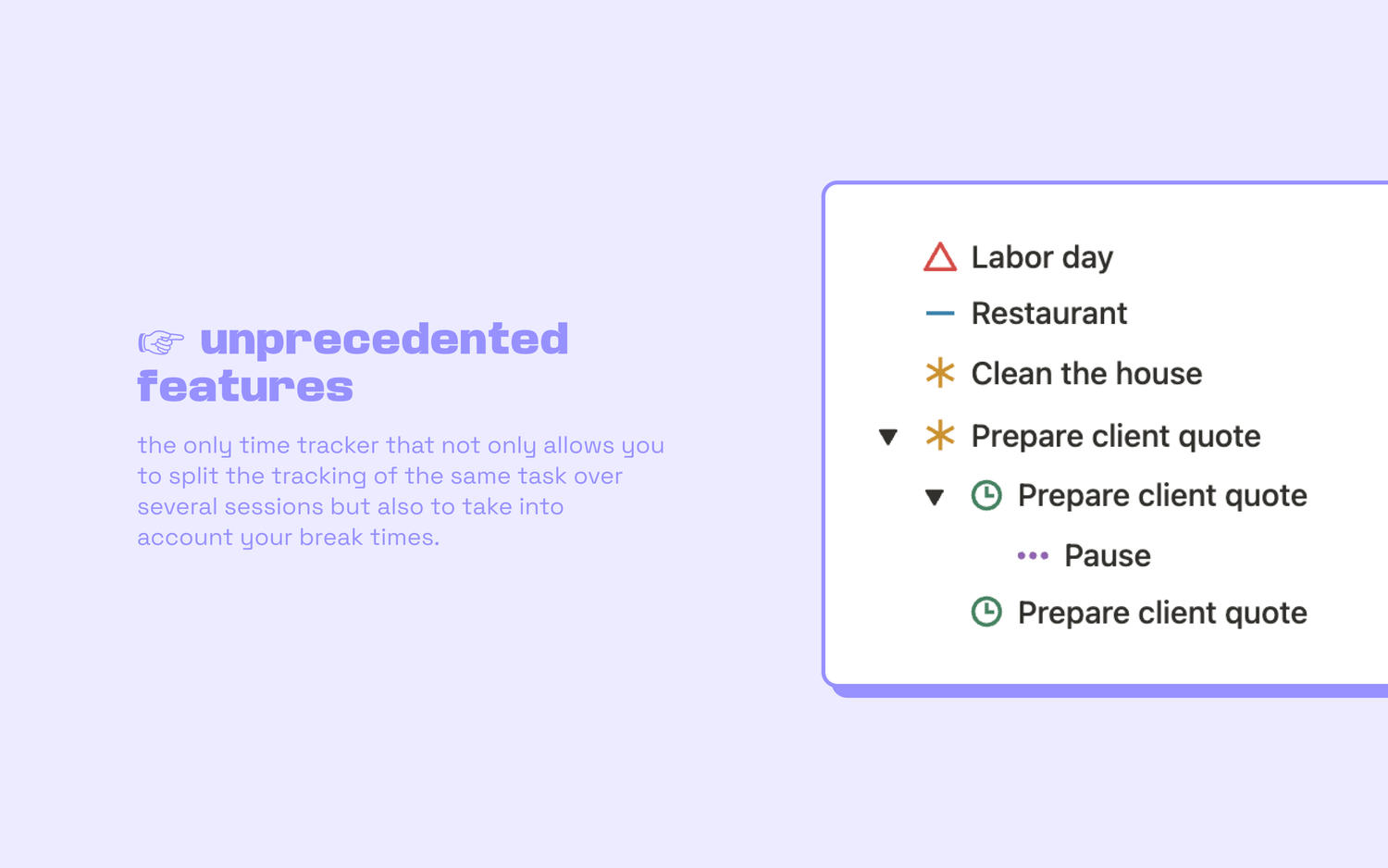
Because most tasks don’t happen in one clean block: you pause, you resume, you pick it up later, and sometimes you stop without actually being done.
Real life has more than two states
Classic time trackers try to convince you your day is a simple two-state system: you start a task, you finish it, then you move on to the next one and do the same.
Reality is very different. In your day-to-day life, it’s more like this:
👉 You start a task.
👉 You get interrupted.
👉 You pause, then resume.
👉 You realise you can’t finish right now, so you leave it in a “to be continued” state.
👉 You come back to it later and pick up where you left off.
👉 You switch to something more urgent mid-way through.
👉 You accidentally start tracking the wrong thing and need to cancel the tracking (without deleting the task).
👉 You finish the task.
👉 Or you decide to mark it done without tracking because it took thirty seconds.
👉 Or you cancel it entirely because it no longer matters.
None of this is unusual, it’s just real life. And your time tracker should be able to handle it.
Why more buttons mean less friction
At first, having many control buttons can look overwhelming. But the goal is not complexity: the goal is precision with zero mental load.
Instead of forcing every situation into the same start and stop flow, you get a clear action for each need.
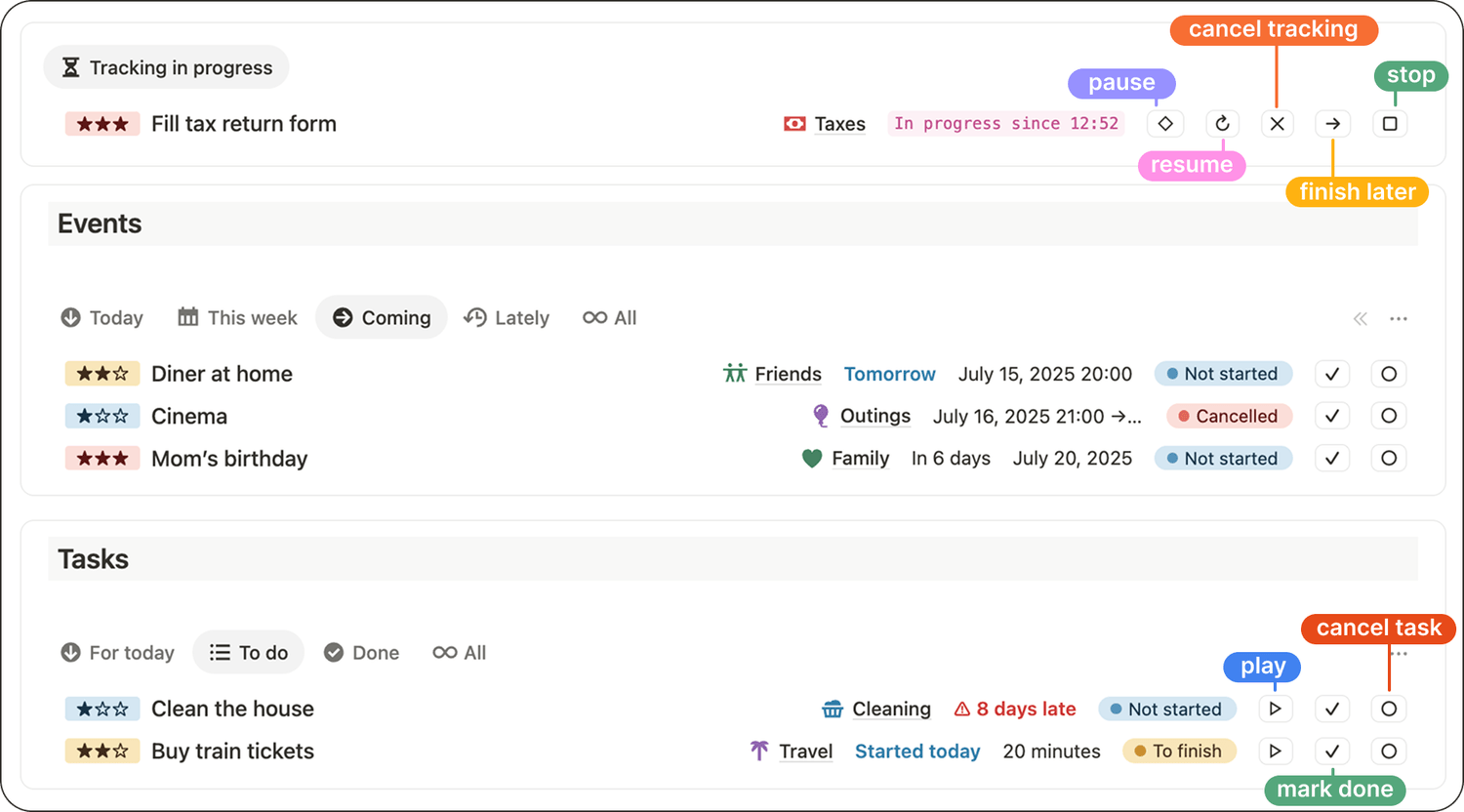
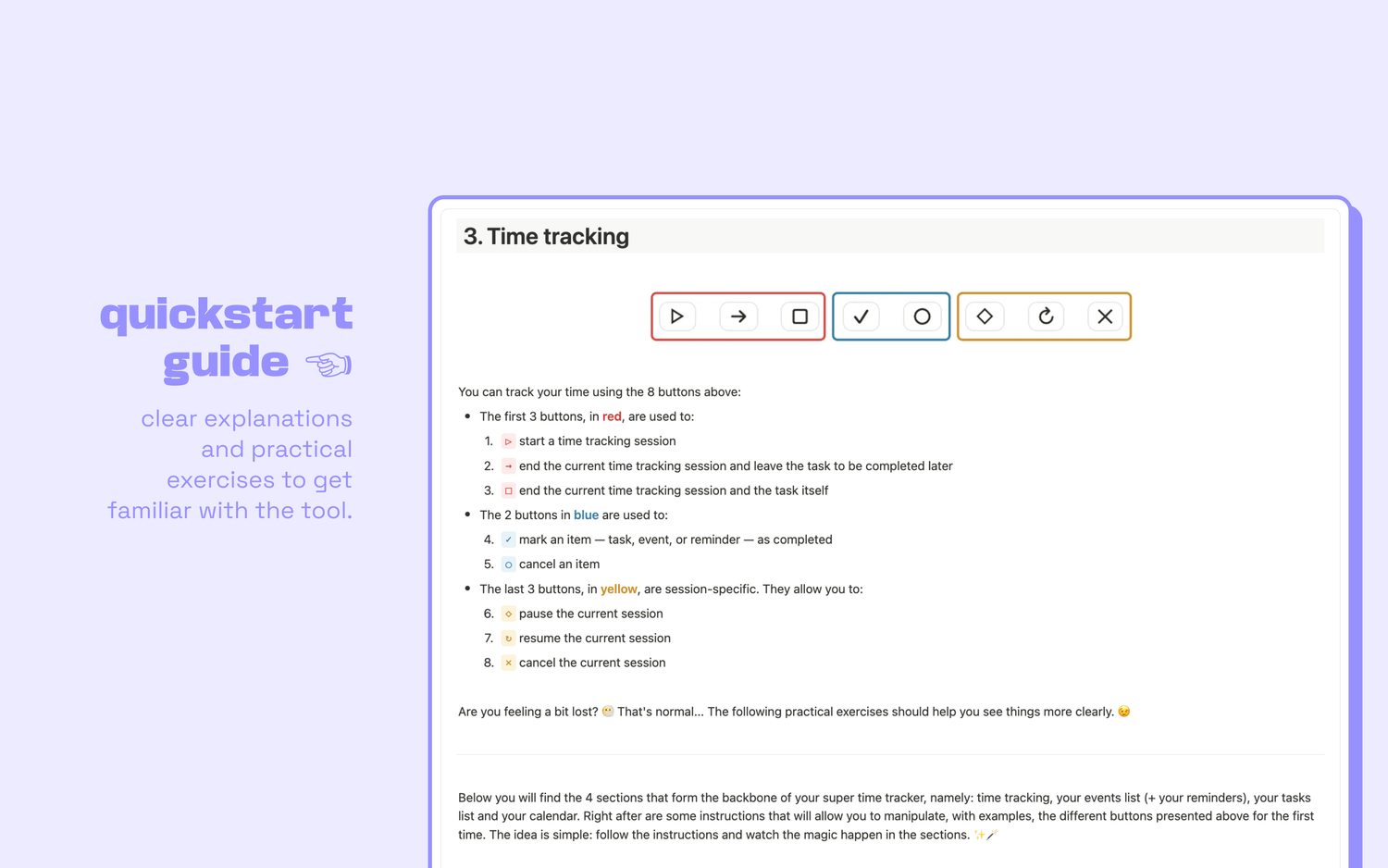
▶️ Start: begin tracking a task.
⏸️ Pause: temporarily stop tracking without ending anything.
↪️ Resume: continue the same tracking session.
⏩️ Finish later: end the current tracking while keeping the task open.
⏹️ Stop: end the tracking and complete the task.
✅ Mark done: mark the task complete without tracking time.
⏺️ Cancel task: remove the task from your workload when it is no longer relevant.
❎ Cancel tracking: cancel current tracking session without losing the task itself.
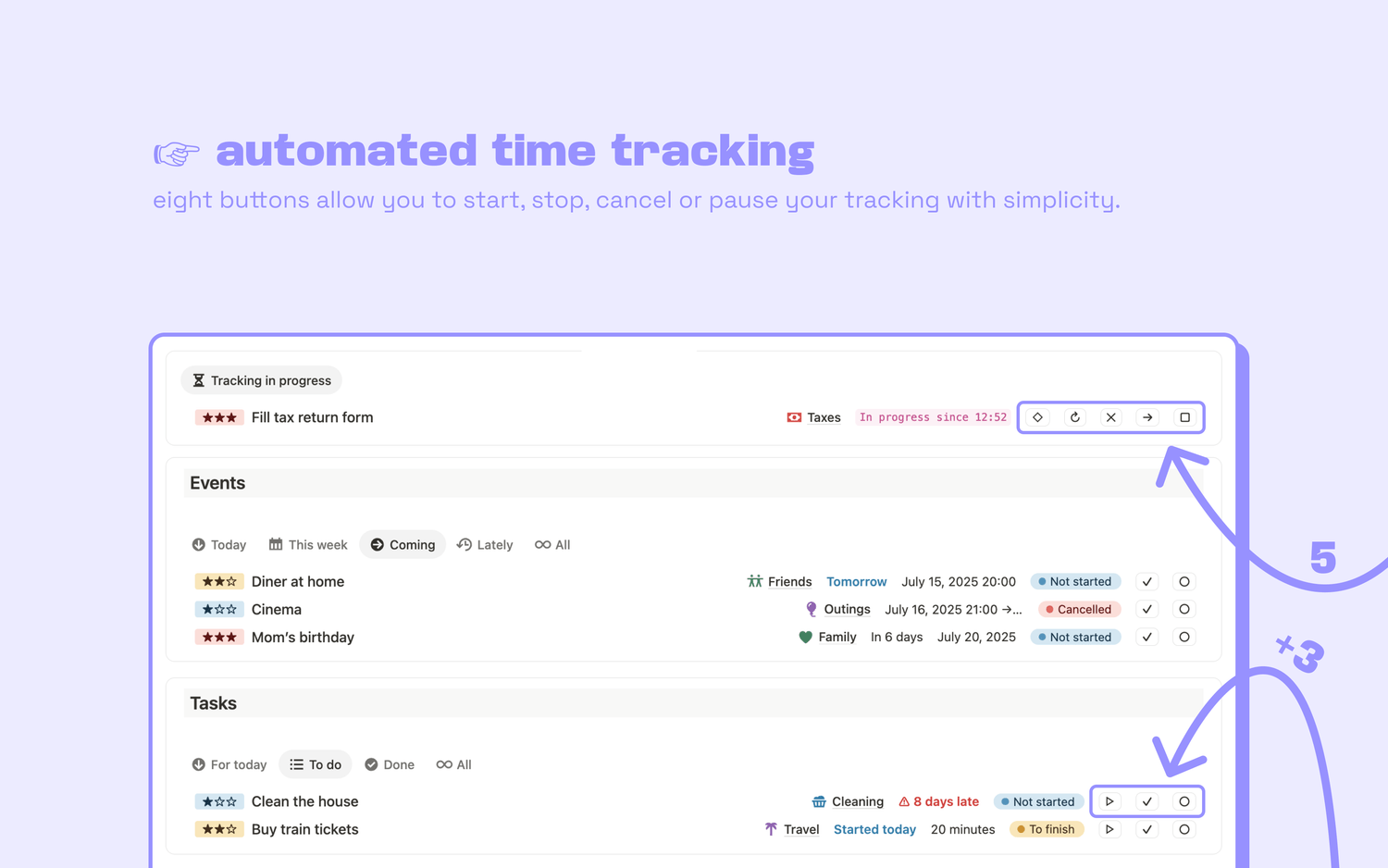
Yes, it’s 8 buttons instead of 2.
But that’s exactly what makes the system usable in real life. Each button covers a common situation (pause, resume, finish later, cancel…), so your tracking stays accurate without you having to hack your way around the tool.
A quick scenario: the kind of day your tracker should support
Let’s say you need to reply to this week’s emails. Here’s how you’d handle this task in real life:
1️⃣ You open your inbox. Tracking begins. You press start.
2️⃣ About thirty minutes later, someone rings your doorbell. You answer it. You press pause.
3️⃣ You come back 10 minutes later and continue working. You press resume.
4️⃣ A client call is about to start. You are not done with your emails, but you need to switch tasks. You press finish later.
5️⃣ Later that afternoon, you return to your inbox. You press start again.
6️⃣ You’ve answered all your emails, you press stop to end the tracking and close the task.
Nothing about that day is unusual. And yet, a basic start and stop tracker cannot represent it properly…
The real purpose of time tracking: decisions, not numbers
Tracking time is not about collecting data for the sake of it. It is about creating feedback you can actually use.
When your tracking matches reality, you can answer questions like:
👉 Which projects consistently take longer than expected?
👉 What tasks get interrupted the most, and why?
👉 How much deep work time do you truly get in a week?
👉 Which clients or services are underpriced based on effort?
A tracker that only captures start and stop gives you a number. A tracker that handles real-life states gives you insight.
One button per need is not too much: it is the point
If your time tracker feels restrictive, it is not because you are doing time tracking wrong. It is because the tool is trying to force your work into a simplified model that does not match how you actually operate.
A more flexible system, with the right set of controls, makes the process easier, not harder.
Because the best time tracker is not the one with the fewest buttons. It is the one that lets you stay honest, stay consistent, and stay focused on the work.
$8 excl. VAT
advanced time tracker
Latest blog posts
notion by moona
High-quality Notion workspaces for entrepreneurs with high standards.